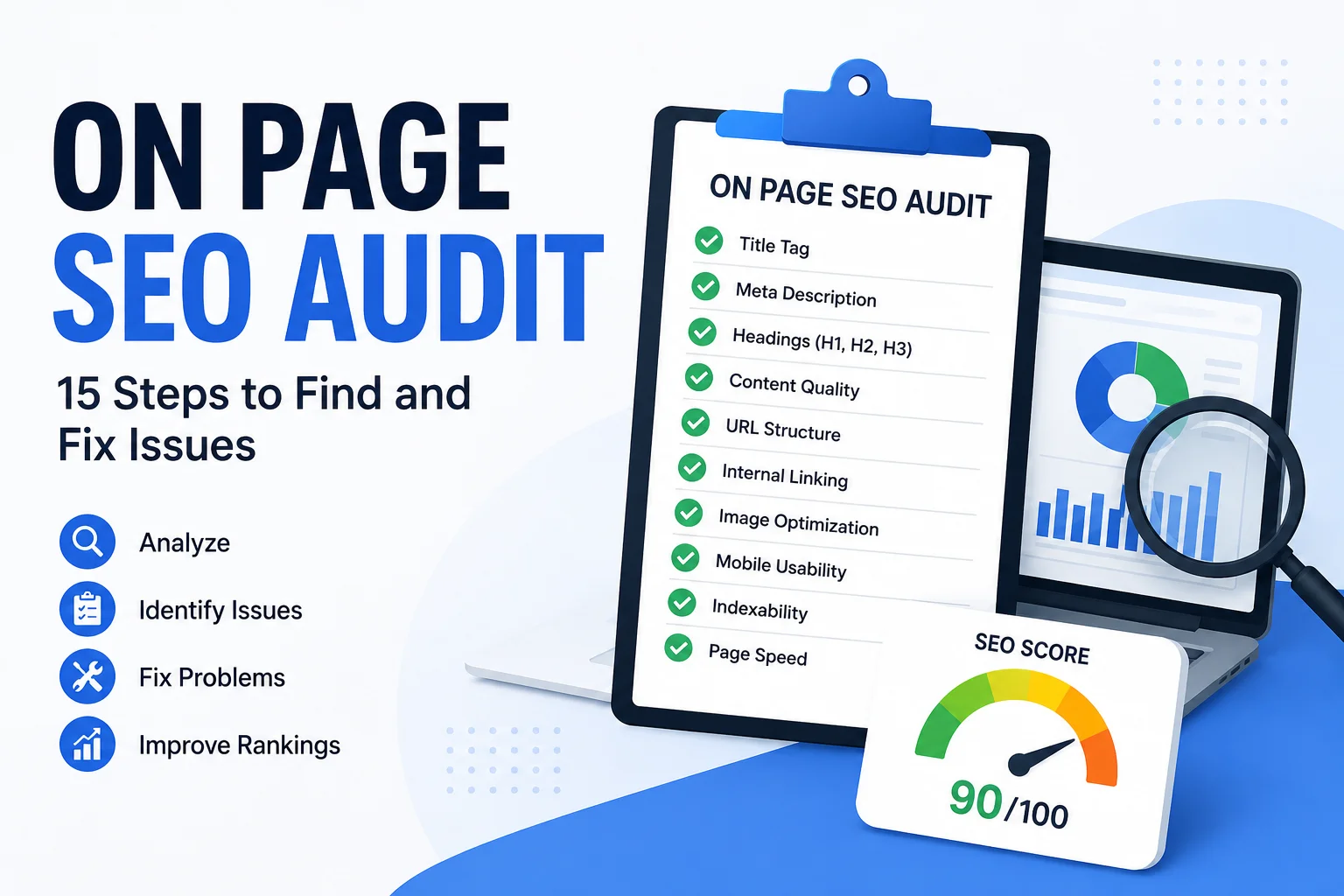
On page SEO audit work is about reviewing an individual webpage to find issues that may be limiting its relevance, usability, crawlability, or organic search performance.
A useful audit goes beyond checking whether a title contains a keyword or whether an SEO plugin gives the page a green score. It looks at search intent, content quality, headings, metadata, internal links, images, URL structure, indexing signals, and actual performance data.
The goal is not to collect as many warnings as possible. The goal is to identify the issues that matter most, prioritize them, and improve the page in a way that helps both users and search engines.
This guide explains how to perform an on page SEO audit using a practical 15-step process, including manual checks, useful tools, prioritization, and common mistakes to avoid.
What Is an On Page SEO Audit?
An on page SEO audit is a review of the elements on a specific webpage that affect how clearly the page communicates its topic, satisfies search intent, and supports search visibility.
Typical audit areas include:
- SEO title
- Meta description
- H1 and subheadings
- Content quality
- Keyword use
- URL structure
- Internal links
- External links
- Images
- Indexability
- Mobile usability
- Search performance
An on page SEO audit is different from a full technical SEO audit. Technical SEO may include sitewide crawl issues, server configuration, XML sitemaps, redirects, JavaScript rendering, and other infrastructure-level concerns.
On-page auditing is more focused on the quality and implementation of a particular page.
Why an On Page SEO Audit Matters
An on page SEO audit helps you understand why a page may not be performing as well as expected.
It Identifies Page-Level SEO Problems
You may discover missing metadata, weak headings, poor internal linking, thin content, or unclear search intent.
It Helps Improve Content Relevance
A page can be technically accessible and still fail because it does not fully answer the query it targets.
It Reveals Weak Structure and Metadata
Titles, descriptions, H1s, and headings all help explain what the page is about and how the content is organized.
It Helps Prioritize Updates
Not every issue deserves equal attention. A page that is accidentally noindexed has a much bigger problem than a minor wording issue.
It Supports Better Publishing QA
An audit often reveals implementation problems that should have been caught before publishing. That makes it useful both for existing content and for improving future workflows.
On Page SEO Audit Checklist: 15 Steps
1. Confirm the Page Is Indexable
Start with the basics.
Check whether the page is actually available for indexing.
Look for:
- Accidental
noindexdirectives - Incorrect canonical tags
- Broken page access
- Unexpected redirects
- Indexing exclusions in Search Console
If a page cannot be indexed, most other on-page improvements will not matter until that problem is fixed.
2. Check the Primary Search Intent
Before reviewing tags and formatting, determine what the page is supposed to achieve.
Ask:
- What keyword or topic is this page targeting?
- What does the searcher want?
- Is the intent informational, commercial, transactional, or navigational?
- Does the page actually satisfy that intent?
A common audit mistake is optimizing a page for a keyword without checking whether the page type matches the search results.
3. Review the SEO Title
The SEO title should clearly identify the topic of the page.
Check whether it is:
- Unique
- Specific
- Relevant
- Readable
- Aligned with search intent
- Using the primary keyword naturally
Do not treat a specific character count as a strict Google rule. The main goal is to communicate the page topic clearly and concisely.
4. Review the Meta Description
The meta description should accurately summarize the page and support the search result.
Check:
- Is it unique?
- Does it match the page content?
- Does it use the focus keyword naturally?
- Does it communicate a useful benefit?
- Is the important information near the beginning?
If the description is weak or outdated, rewrite it.
For a deeper breakdown, see the NextWebOps guide on how to write meta descriptions.
5. Check the H1
The H1 should clearly describe the main topic of the page.
Review whether:
- There is a clear main heading
- It aligns with the SEO title
- It reflects the target topic
- It is written for humans
In many CMS setups, the post title becomes the H1 automatically.
6. Review H2 and H3 Structure
Headings should organize the article into logical sections.
Look for:
- Clear H2 sections
- Relevant H3 subsections
- Logical hierarchy
- No random heading jumps
- Headings that describe the content below them
Do not use bold text as a substitute for headings.
7. Audit Content Quality and Completeness
This is one of the most important parts of an on page SEO audit.
Ask whether the content:
- Answers the main query clearly
- Covers the important subtopics
- Uses current information
- Avoids repetition
- Includes useful examples
- Provides enough detail for the search intent
- Removes outdated or irrelevant sections
- Supports claims appropriately
Do not assume that adding more words automatically improves the page.
Sometimes the better fix is removing weak sections, combining repetitive ideas, or rewriting the content around the actual search intent.
If the article is older, use a structured process for updating old blog posts for SEO.
8. Review Keyword Use Without Stuffing
The focus keyword should appear naturally where it helps explain the page.
Check whether the primary phrase appears in appropriate locations such as:
- SEO title
- Introduction
- H1
- Relevant subheadings
- Body content
- Meta description
- URL where appropriate
Do not chase a fixed keyword density percentage.
A page can be over-optimized even if an SEO tool says the density is acceptable.
Read the content as a human would and remove forced repetition.
9. Check URL Structure
A good URL should generally be short, descriptive, and easy to understand.
Review:
- Is the URL readable?
- Does it describe the page topic?
- Does it avoid unnecessary parameters?
- Is it stable?
Do not change a published URL just because you think a slightly shorter version looks better.
Unnecessary URL changes can create redirect work and risk losing existing signals.
10. Audit Internal Links
Internal links help users and search engines understand how pages relate to one another.
Check:
- Does the page link to relevant supporting content?
- Do important pages link back to it?
- Is the anchor text descriptive?
- Are any internal links broken?
- Is the page at risk of becoming orphaned?
Use links where they genuinely help the reader.
For more detail, review the NextWebOps guide on internal linking best practices.
11. Review External Links
External links should support the content rather than simply increase link count.
Check whether external sources are:
- Relevant
- Credible
- Current
- Working
Remove or replace outdated references and broken links.
12. Audit Images
Images are part of the on-page experience and should be reviewed during the audit.
Check:
- Descriptive filenames
- Useful alt text
- Correct dimensions
- Reasonable file size
- Relevant placement
- Modern formats where appropriate
- No unnecessarily oversized media
A large, uncompressed image can slow down the page and create a poor user experience.
For a complete image review process, see the NextWebOps guide to image SEO.
13. Review Mobile Usability and Page Experience
Do not evaluate the page only on desktop.
Check whether:
- Text is easy to read
- Buttons are easy to tap
- Images fit correctly
- Tables remain usable
- There are no obvious layout issues
- Popups or intrusive elements do not block content
You do not need to turn every on-page audit into a full Core Web Vitals project, but obvious usability problems should be documented.
14. Check Search Performance Data
Search Console data can help explain how the page is performing in real search results.
Review:
- Impressions
- Clicks
- Average position
- Search queries
- Click-through rate
Google provides these metrics in the Google Search Console Performance report.
This data can reveal different problems.
For example:
- Low impressions: the page may not be relevant enough or may not be ranking.
- High impressions but low clicks: the title or search snippet may need improvement.
- Good position but poor conversions: the page may not satisfy intent after the click.
15. Prioritize Fixes by Impact
An on page SEO audit is only useful if the findings are organized by importance.
Do not treat every issue as equally urgent.
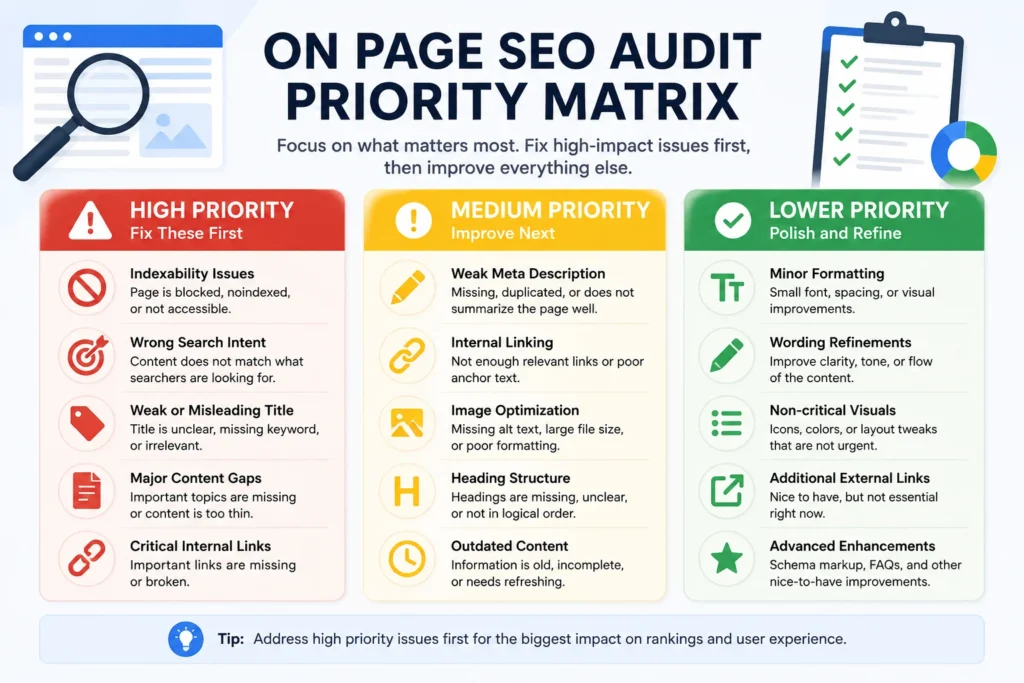
A practical priority system is:
High Priority Issues
- Page is not indexable
- Search intent is wrong
- SEO title is misleading or irrelevant
- Major content gaps
- Critical internal links are missing or broken
Medium Priority Issues
- Weak meta description
- Poor heading structure
- Outdated sections
- Weak internal linking
- Oversized or poorly optimized images
Lower Priority Issues
- Minor formatting inconsistencies
- Small wording improvements
- Non-critical visual refinements
Prioritization keeps the audit focused on changes that are most likely to improve the page.
On Page SEO Audit Example
A simple audit table can make findings easier to act on.
| Element | Issue | Priority | Recommended Fix |
|---|---|---|---|
| SEO Title | Too vague | High | Rewrite around the primary topic and search intent |
| Meta Description | Missing | Medium | Add a unique, concise description |
| H2 Structure | Weak | Medium | Add logical subtopics and clearer section headings |
| Internal Links | Only one contextual link | Medium | Add relevant internal links with descriptive anchors |
| Hero Image | 1.8 MB | Medium | Resize, compress, and use an appropriate format |
This is more useful than a single score because it tells you what is wrong, how important it is, and what action to take.
Useful On Page SEO Audit Tools
Tools can speed up parts of an audit, but they should support your judgment rather than replace it.
Google Search Console
Use Search Console for:
- Indexing checks
- Search queries
- Clicks
- Impressions
- Average position
- URL inspection
Screaming Frog
Screaming Frog can help review:
- Titles
- Meta descriptions
- H1s and H2s
- Canonicals
- Status codes
- Internal links
Semrush, Ahrefs, and Similar Platforms
Site audit tools can help identify technical and on-page issues at scale.
They are useful for finding patterns across larger websites, but automated reports still need human review.
Rank Math and Other SEO Plugins
SEO plugins can help with page-level implementation checks such as focus keyword placement, metadata, links, and schema settings.
However, a plugin cannot fully judge:
- Search intent
- Content usefulness
- Accuracy
- Readability
- Whether the page genuinely solves the user’s problem
Use the score as guidance, not as the definition of a successful page.
Automated Audit vs. Manual Audit
Automated tools and manual review are both useful, but they are good at different things.
| Automated Audit | Manual Audit |
|---|---|
| Missing titles | Search intent |
| Duplicate metadata | Content usefulness |
| Broken links | Accuracy and clarity |
| Missing alt attributes | Awkward keyword use |
| Status codes | Content depth |
| Crawl patterns | CTA relevance |
The strongest audit combines both.
Use tools to identify problems quickly, then review the page manually to understand whether those issues actually matter.
Common On Page SEO Audit Mistakes
Focusing Only on SEO Scores
A score can highlight possible issues, but it cannot fully evaluate content quality or intent.
Treating Every Issue as Equal
Fix major indexing or content problems before minor formatting details.
Chasing Keyword Density
Do not force the keyword into the page to reach a fixed percentage.
Changing URLs Without Need
Stable URLs are often better than unnecessary rewrites.
Ignoring Search Intent
A technically optimized page can still fail if it answers the wrong question.
Looking Only at Metadata
Titles and descriptions matter, but they are only part of the audit.
Ignoring Internal Links
Pages need contextual connections to relevant content across the site.
Ignoring Images
Large or poorly optimized images can create usability and page experience issues.
Updating Content Without Measuring Performance
Use Search Console or another analytics source to understand what changed after updates.
Confusing On-Page SEO With Technical SEO
Keep the audit focused on page-level relevance and implementation while documenting technical issues separately when needed.
On Page SEO Audit Checklist
Use this quick checklist when reviewing a page:
- Is the page indexable?
- Does it match search intent?
- Is the SEO title clear and relevant?
- Is the meta description useful and unique?
- Is the H1 accurate?
- Are H2 and H3 headings logical?
- Is the content complete and current?
- Is the keyword used naturally?
- Is the URL clear and stable?
- Are internal links useful?
- Are external links credible?
- Are images optimized?
- Does the page work well on mobile?
- Have Search Console metrics been reviewed?
- Are findings prioritized by impact?
How Often Should You Run an On Page SEO Audit?
There is no single schedule that works for every website.
Useful times to run an audit include:
- Before publishing an important page
- After a major content update
- When rankings decline
- When impressions increase but clicks remain weak
- After a redesign or migration
- When refreshing high-value evergreen content
High-priority pages usually deserve more attention than low-value pages that receive little traffic.
Make On Page SEO Audits Part of Content Maintenance
An audit only creates value when the findings are implemented.
Common fixes include:
- Rewriting SEO titles
- Improving meta descriptions
- Updating headings
- Expanding or simplifying content
- Adding internal links
- Optimizing images
- Fixing formatting
- Improving publishing QA
Use the audit alongside a broader on-page SEO checklist so the issues you find become part of a repeatable optimization process.
NextWebOps provides hands-on content implementation, metadata optimization, internal linking, image optimization, formatting, content updates, and publishing QA across WordPress, Shopify, and Webflow.
If you have pages that need to be audited and improved, contact NextWebOps to discuss your website content and optimization workflow.
Frequently Asked Questions About On Page SEO Audits
What is an on page SEO audit?
An on page SEO audit is a review of an individual webpage to identify issues with search intent, content, metadata, headings, links, images, indexing, and other page-level SEO elements.
How do I perform an on page SEO audit?
Start by checking indexability and search intent, then review the title, meta description, H1, subheadings, content, keyword use, URL, links, images, mobile usability, and search performance. Finish by prioritizing the findings.
What should an on-page SEO audit include?
It should include page-level checks for metadata, content quality, heading structure, URL structure, internal links, external links, images, indexability, mobile usability, and search performance.
What is the difference between an on-page SEO audit and a technical SEO audit?
An on-page audit focuses on the content and implementation of a specific page. A technical SEO audit usually covers broader site infrastructure such as crawling, redirects, rendering, sitemaps, and server-level issues.
What tools can I use for an on-page SEO audit?
Useful tools include Google Search Console, Screaming Frog, Semrush, Ahrefs, and SEO plugins such as Rank Math. These tools are most effective when combined with manual review.
How often should I audit a page for SEO?
Audit important pages when performance declines, after significant updates, after redesigns or migrations, or during planned content refreshes.
Can an SEO tool replace a manual audit?
No. Tools can detect many technical and implementation issues, but they cannot fully evaluate search intent, usefulness, accuracy, or whether the content genuinely satisfies the user.
How long does an on-page SEO audit take?
It depends on page complexity and audit depth. A simple page can be reviewed quickly, while a detailed or high-value page may require a deeper review of content, links, performance data, and implementation.
Leave a Reply