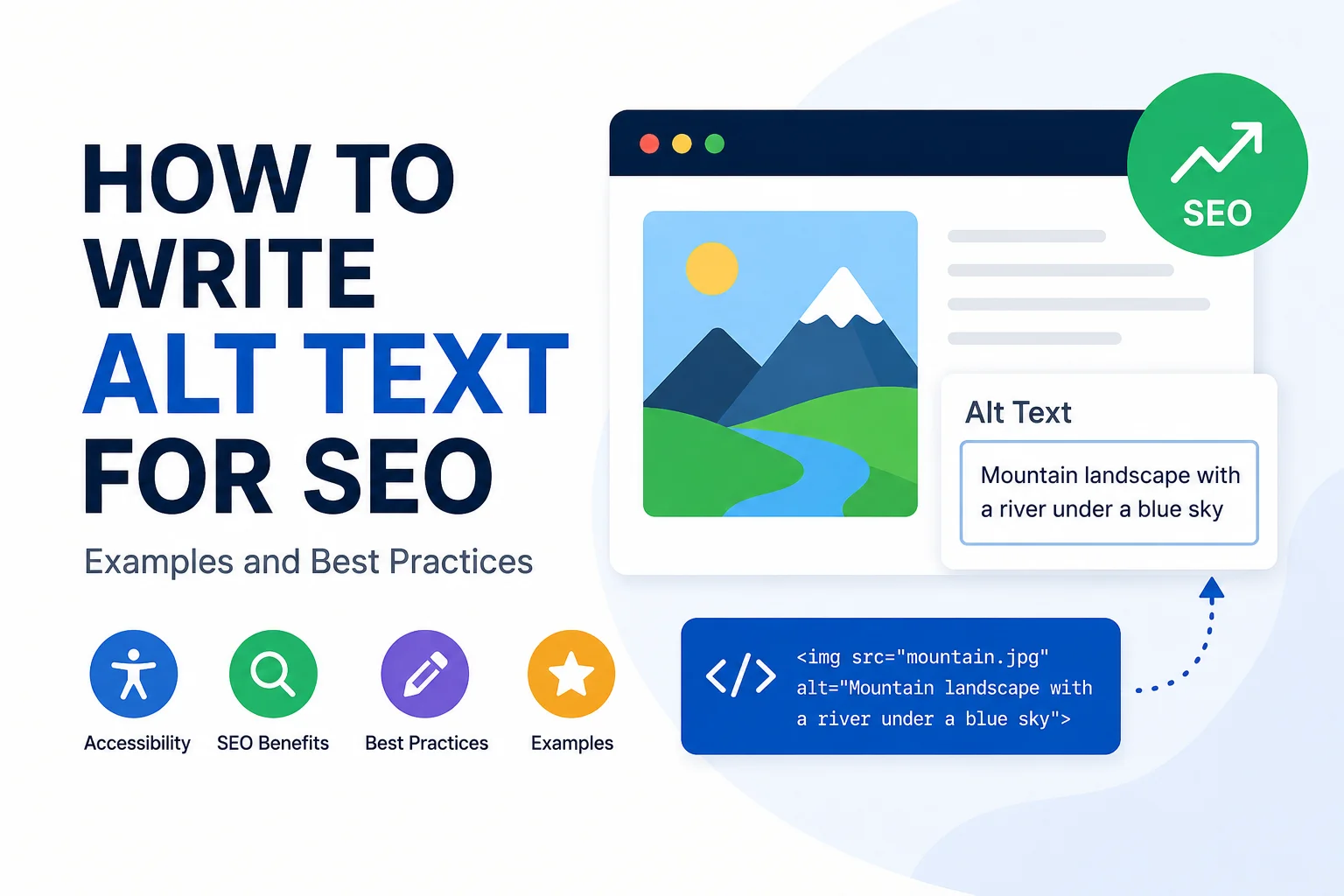
Learning how to write alt text for SEO starts with one simple rule: describe the image accurately for people first, then use relevant keywords only when they fit naturally.
Alt text helps users who rely on screen readers understand meaningful images, and it can also give search engines more context about what an image represents. But alt text is not a hidden keyword field. Stuffing keywords into every image description can make the text less useful and less accessible.
The best alt text is clear, specific, concise, and relevant to the image’s purpose on the page.
What Is Alt Text?
Alt text, short for alternative text, is the description attached to an image through the HTML alt attribute.
For example:
<img src="blue-running-shoes.webp" alt="Blue men's running shoes with white soles">
This text can be used by assistive technologies such as screen readers when a user cannot see the image. It can also provide context when an image fails to load and help search engines understand the image in relation to the surrounding page content.
Good alt text does not need to describe every visible detail. It should communicate the information that matters.
Does Alt Text Help SEO?
Yes, alt text can support SEO, especially image SEO, because it helps search engines understand what an image is about and how it relates to the page.
That does not mean you should force a target keyword into every image.
Search engines benefit most from useful, descriptive text that matches the image and the page context. If a relevant keyword fits naturally, it can be included. If it does not accurately describe the image, leave it out.
For example, suppose you have an article about WordPress image optimization.
Good alt text:
WordPress image optimization settings for compressed WebP images
Poor alt text:
WordPress image SEO WordPress optimization SEO image optimization images
The first example describes the image. The second is written mainly for keywords and provides a poor user experience.
For a broader view of image optimization beyond alt text, see this complete image SEO strategy.
How to Write Alt Text for SEO
A reliable approach is to focus on what the image communicates, why it appears on the page, and whether a keyword belongs naturally in that description.
1. Describe What Actually Matters in the Image
Start with the important subject or action.
Avoid vague descriptions such as:
- business image
- SEO graphic
- website photo
- product image
Instead, describe the meaningful visual content.
Poor:
business image
Better:
Marketing team reviewing website analytics on a laptop
The better version gives useful information without adding unnecessary details.
2. Consider the Image in Its Page Context
Alt text should reflect the reason the image appears on the page.
The same photo can require different alt text depending on the article or page where it appears.
Imagine a photo showing a laptop beside a cup of coffee.
On a remote-work article, the alt text might be:
Remote employee working from a laptop at a coffee shop
On an article reviewing laptops, the important detail may instead be:
Silver laptop open on a cafe table beside a coffee cup
Neither description is automatically better. The right choice depends on what the image contributes to that specific page.
3. Use Keywords Only When They Fit Naturally
Keywords can appear in alt text when they genuinely describe the image.
If a screenshot shows the WordPress Media Library and your page discusses WordPress alt text, this description is natural:
WordPress Media Library showing the Alt Text field
You do not need to turn it into:
WordPress SEO alt text image SEO WordPress image optimization
That kind of repetition is unnecessary.
A useful rule is simple: if you would still use the phrase when explaining the image to a person, it probably belongs. If you are adding it only because it is your target keyword, reconsider it.
4. Keep Alt Text Concise
Good alt text is usually short because it focuses on the meaningful information rather than every visual detail.
For many normal website images, one short phrase or sentence is enough.
You may see advice that every alt description should stay below a specific character count. Treat that as a practical guideline rather than an absolute SEO rule. The goal is to communicate the image efficiently.
Do not stretch a simple description just to make it longer, and do not remove essential information merely to hit an arbitrary character limit.
5. Skip “Image of” and “Picture of” When Unnecessary
In most cases, you do not need to start alt text with phrases such as:
- image of
- picture of
- photo of
The image element already communicates that it is an image.
Less useful:
Image of a content editor using WordPress
Better:
Content editor publishing an article in WordPress
There are cases where the type of visual matters. Words such as screenshot, chart, diagram, or illustration can be useful if that information helps someone understand the content.
6. Do Not Repeat Nearby Text Unnecessarily
If a caption or nearby sentence already provides the exact same information, copying that text word for word into the alt attribute may add little value.
Instead, ask what information the image contributes that the surrounding text does not.
For example, if a paragraph already says, “Our team reviews every page before publishing,” and the image shows that review process, the alt text could describe the visible action:
Content specialist checking links and headings before publication
7. Use Empty Alt Text for Decorative Images
Not every image needs a written description.
If an image is purely decorative and does not communicate meaningful information, it should generally use an empty alt attribute:
alt=""
Examples may include:
- decorative dividers
- background flourishes
- non-informative shapes
- visual icons that duplicate nearby text without adding meaning
This allows assistive technologies to skip elements that do not contribute useful information.
Alt Text Examples: Good vs. Bad
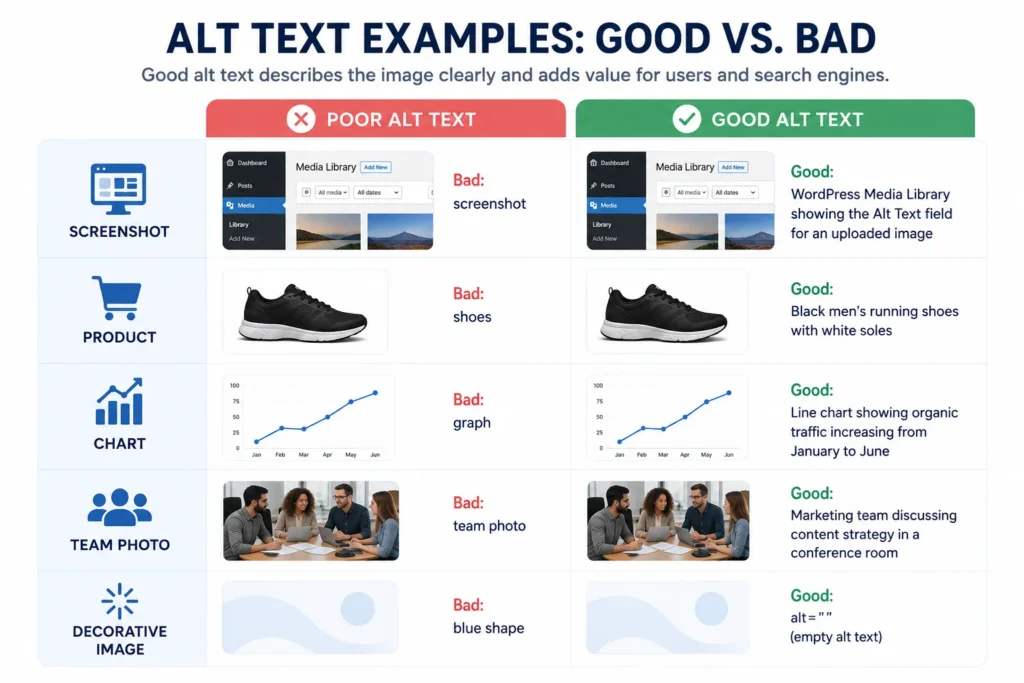
Examples make the difference between useful alt text and weak alt text much easier to understand.
Blog Featured Image
Imagine a featured image showing a website editor adding image details inside WordPress.
Poor:
SEO image
Better:
Website editor adding descriptive alt text to a WordPress image
The improved version explains what is actually happening rather than using a broad topic label.
Product Image
For ecommerce images, focus on useful visible product characteristics.
Poor:
shoes
Better:
Black leather men’s Oxford shoes with brown soles
Details such as color, product type, material, shape, style, or visible features may be useful when they help a shopper understand the product.
Do not describe information that is not visible in the image just because it appears elsewhere in the product listing.
WordPress Screenshot
For screenshots, describe what the interface is showing and why it matters.
Poor:
WordPress SEO
Better:
WordPress Media Library showing the Alt Text field for an uploaded image
This description is useful because it tells the reader what part of WordPress the screenshot demonstrates.
Team or Business Photo
Poor:
business team
Better:
Four-person marketing team reviewing website content around a conference table
The better description identifies the people, activity, and context without trying to describe every object in the room.
Chart or Graph
Charts often require a different approach because the important information is usually the trend or conclusion rather than the appearance of the visual.
For example:
Line chart showing organic traffic increasing from January through June
If a chart contains important detailed data, provide that information in the surrounding page content, a table, or another accessible format instead of trying to place every data point into the alt text.
Decorative Graphic
If a small abstract shape is used only to make a section look more attractive and communicates no useful content, use:
alt=""
That is better than inventing a description for an image that does not need one.
How Long Should Alt Text Be?
There is no universal SEO character count that every alt attribute must meet.
The better goal is to make alt text as short as possible while still communicating the important information.
For a simple photo, that may be one concise phrase. A chart, diagram, or more complex image may require additional explanation.
Avoid two common mistakes:
- padding alt text with unnecessary words to make it seem more “optimized”
- cutting out important information only to stay below a rigid character target
Clarity matters more than hitting a specific number.
Should Every Image Have Alt Text?
Every image should be handled appropriately, but not every image needs descriptive text inside the alt attribute.
Informative Images
If an image communicates useful information, write alt text that describes that information.
Examples include:
- product photos
- screenshots
- illustrations
- blog images
- charts
- photos supporting the content
Functional Images
Some images perform an action or act as links.
In those cases, the accessible text should help communicate the function or destination where appropriate, rather than only describing what the image looks like.
For example, a logo linked to the homepage may need text that communicates the site or destination rather than a visual description of the logo’s colors and shape.
Decorative Images
Decorative images generally should use an empty alt attribute:
alt=""
This is one reason the advice “add keywords to every image” is a poor alt-text strategy.
Common Alt Text SEO Mistakes
Keyword Stuffing
Do not repeat target phrases in an unnatural way.
Poor:
SEO image optimization SEO services website SEO images
One accurate description is far more useful than a string of keyword variations.
Using the Same Alt Text on Every Image
If multiple images show different things, they should not all receive the same keyword-based description.
Describe each meaningful image based on its actual content and purpose.
Writing Alt Text That Does Not Match the Image
Do not add a keyword simply because the page is targeting it.
If an image shows a team meeting, alt text such as “WordPress image optimization guide” is inaccurate even if that happens to be the page topic.
Being Too Vague
Descriptions such as “photo,” “website,” “graphic,” or “product” usually provide too little information.
Add enough detail to communicate the meaningful subject or action.
Describing Every Tiny Detail
Alt text does not need to recreate the entire image in words.
Focus on what matters for the page and leave out irrelevant background details.
Starting Every Description With “Image of”
This adds repetition without usually adding meaning.
Adding Descriptions to Decorative Images
Decorative elements can create unnecessary noise for screen-reader users if every one receives a written description.
Confusing Alt Text With an Image Title or Caption
These fields serve different purposes.
- Alt text: provides an alternative description or function for the image
- Caption: visible text displayed near the image
- Image title: optional metadata or CMS field depending on the platform
- Filename: identifies the uploaded image file
Do not copy the exact same keyword phrase into all four fields just for SEO.
How to Add Alt Text in WordPress
WordPress makes alt text relatively easy to add during publishing.
- Open the page or post containing the image.
- Select the image or open it through the Media Library.
- Find the Alt Text field.
- Enter a concise description based on the image and page context.
- Save or update the content.
- Verify that the description was added to the correct image.
For larger websites, the challenge is usually not finding the field. It is making sure every relevant image receives a useful description during publishing.
That is why alt-text review should be part of a consistent WordPress publishing and QA process.
For more image-specific publishing guidance, see how to optimize images in WordPress.
If your team has a large content library that needs image cleanup, alt text, formatting, or publishing QA, get help with image optimization and content publishing.
Alt Text Checklist
Before publishing an image, ask:
- Does this image communicate meaningful information?
- Does the alt text describe what actually matters?
- Does the description make sense in this page context?
- Is it concise?
- Is a keyword included only if it fits naturally?
- Have unnecessary phrases such as “image of” been removed?
- Is the description free from keyword stuffing?
- Does a decorative image use empty alt text?
- Does the description avoid unnecessary repetition of nearby text?
- Has the published page been reviewed?
Alt Text and the Rest of Image SEO
Alt text is only one part of image optimization.
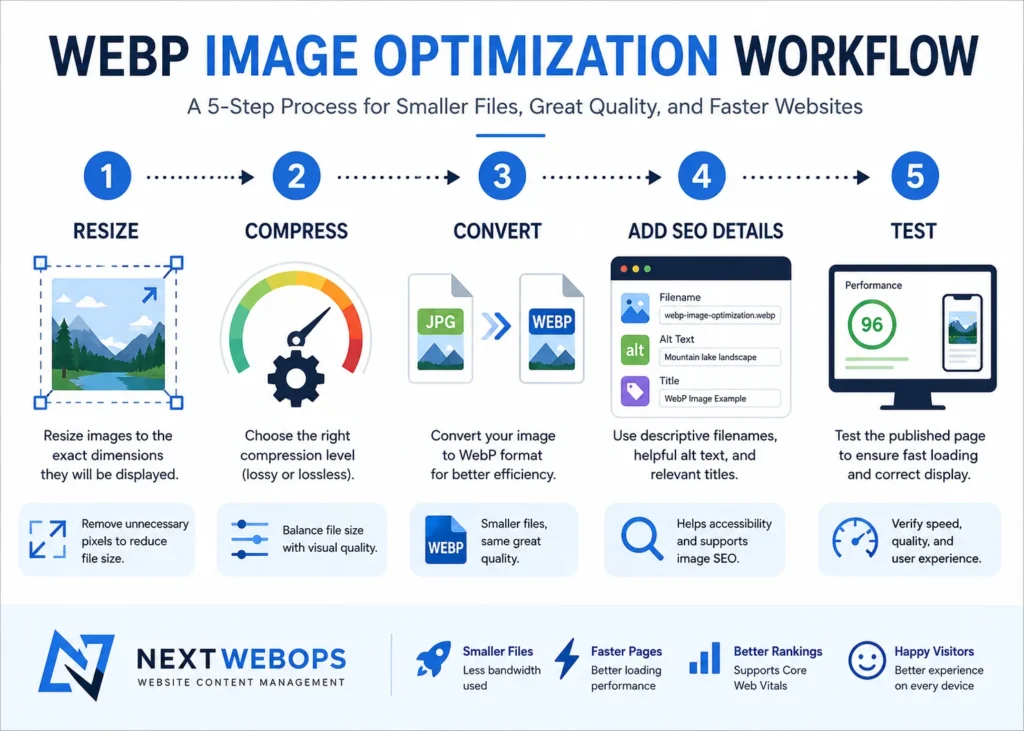
A complete image SEO workflow may also include:
- descriptive filenames
- appropriate image dimensions
- image compression
- modern formats such as WebP
- relevant surrounding content
- responsive image delivery
- proper image placement
- page performance
For example, excellent alt text does not make up for uploading a 5 MB image that slows down the page.
Likewise, a well-compressed image with a vague filename and missing alternative text is not fully optimized.
These elements should work together.
If you are converting and compressing website assets, this guide to WebP image optimization explains another important part of the process.
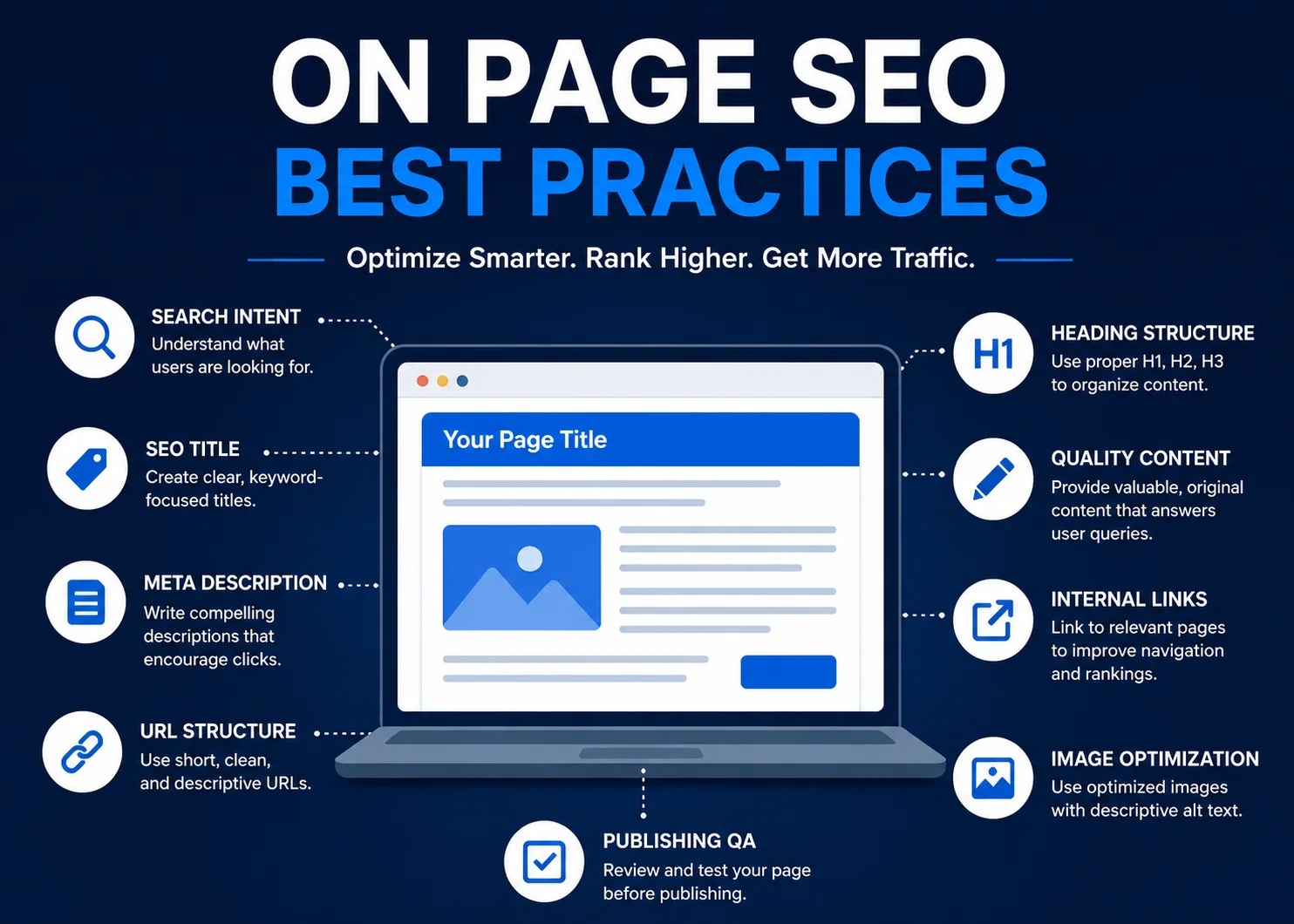
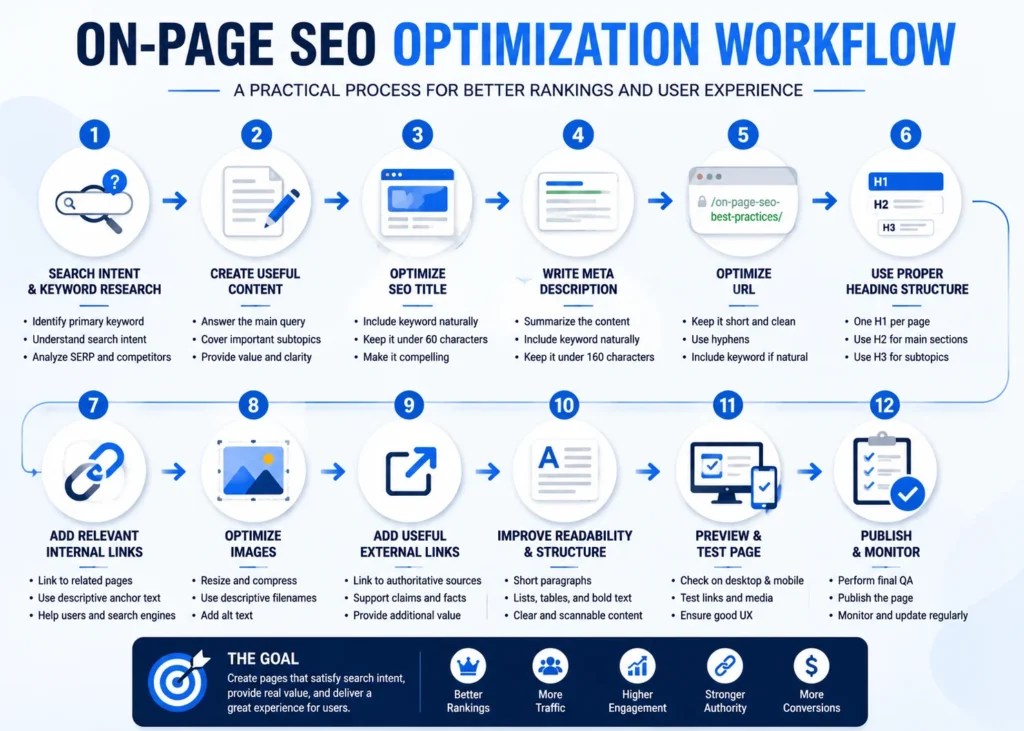
You can also use an on-page SEO checklist to make sure images, headings, metadata, internal links, and other page elements are reviewed together.
Final Takeaway
If you want to know how to write alt text for SEO, focus on meaning first.
Describe what matters about the image, consider why it appears on the page, keep the wording concise, and include a relevant keyword only when it fits naturally.
Use empty alt text for purely decorative images, avoid keyword stuffing, and do not treat alt text as interchangeable with filenames, captions, or image titles.
When handled consistently, useful alt text improves the quality of your publishing process while also supporting accessibility and image SEO.
If your website has hundreds of images that need optimization, alt-text review, formatting, or publishing QA, discuss your website content optimization project.
Frequently Asked Questions
Does alt text help SEO?
Yes. Alt text can help search engines understand the subject and context of an image. It is most effective when it accurately describes the image rather than being written mainly to insert keywords.
How do you write good alt text for SEO?
Describe the meaningful content of the image, consider its context on the page, keep the wording concise, and include a relevant keyword only when it fits naturally.
How long should alt text be?
There is no single required SEO character limit for every alt attribute. Keep it as concise as possible while still communicating the important information in the image.
Should every image have alt text?
Informative images should generally have meaningful alternative text. Purely decorative images should usually use an empty alt attribute, written as alt="".
Should alt text include keywords?
It can include keywords when they genuinely describe the image. Do not force keywords into unrelated images or repeat multiple keyword variations.
What is an example of good alt text?
For a screenshot showing the WordPress Media Library, useful alt text could be: “WordPress Media Library showing the Alt Text field for an uploaded image.”
What is the difference between alt text and an image title?
Alt text provides an alternative description or function for an image. An image title is a separate optional field or metadata element and should not be treated as a replacement for alt text.