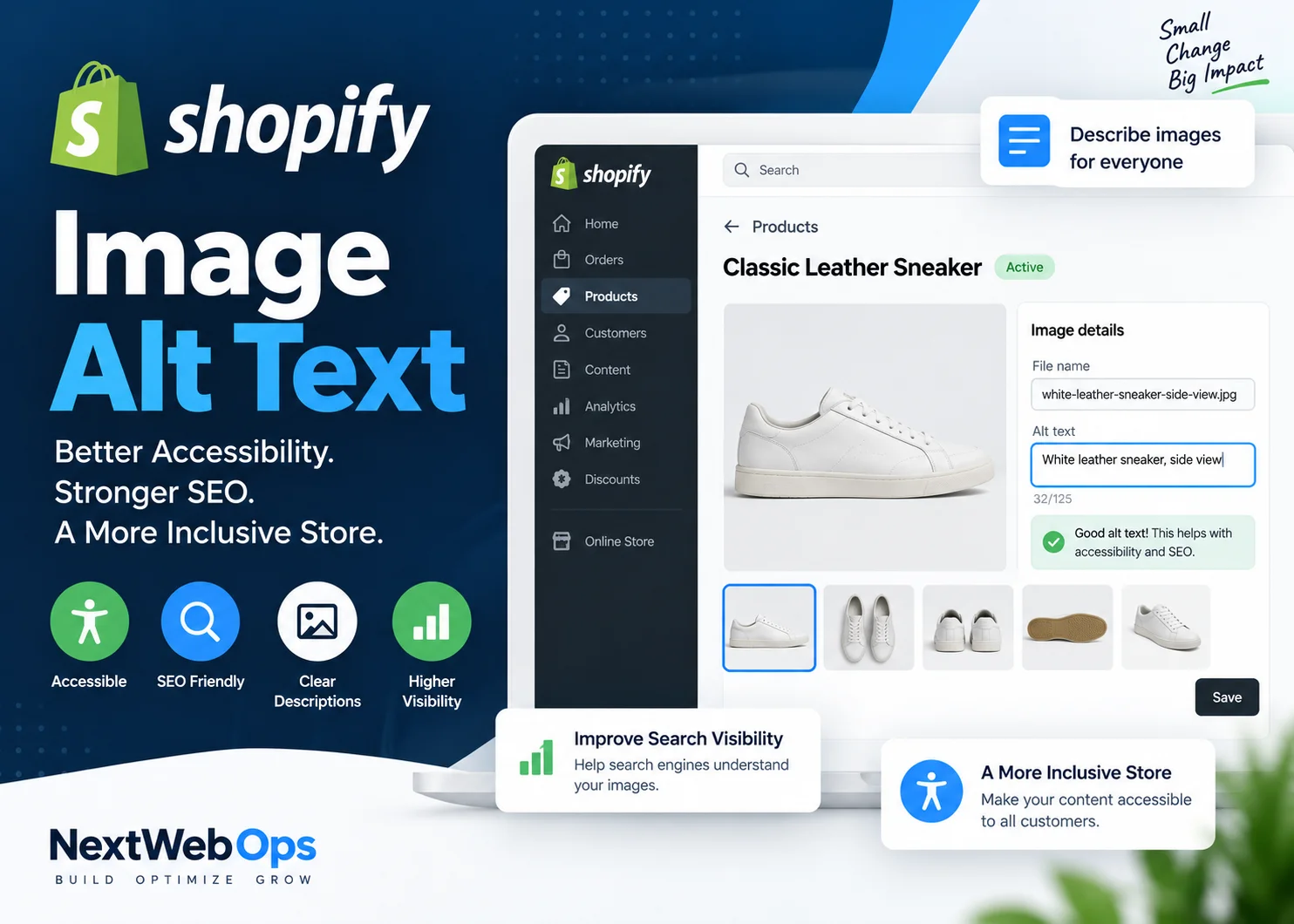
Shopify image alt text is easy to overlook when publishing products, collections, blog posts, and theme images. Some stores leave it empty. Others treat the field like a keyword box and fill it with repetitive phrases.
Neither approach is ideal.
Good alt text describes meaningful images for people who use screen readers while also giving search engines additional context about what an image contains. On an ecommerce store, that can include the product type, color, material, visible feature, or viewing angle when those details matter.
This guide explains how to add alt text in Shopify, how to write it correctly, what to avoid, how to handle product variants and large catalogs, and where alt text fits into a broader image SEO strategy.
What Is Shopify Image Alt Text?
Alt text, short for alternative text, is a written description associated with an image.
Its primary accessibility purpose is to communicate useful image information when someone cannot see the image. Screen readers can use alt text to describe meaningful images to users who are blind or have low vision.
Shopify’s official guidance on product media alt text describes it as an important part of product information and recommends keeping descriptions brief and descriptive.
Alt text can also give search engines textual context about an image. That makes it part of image SEO, but it should not be treated as a place to insert as many keywords as possible.
The best alt text describes the image accurately in the context of the page where it appears.
Why Shopify Image Alt Text Matters
Accessibility
Accessibility is the first reason to write useful alt text.
If a product image communicates information that helps someone understand or evaluate an item, a person using assistive technology should be able to access that information too.
For example, imagine a product gallery showing the side profile, outsole, heel, and waterproof membrane of a hiking shoe. Repeating the product name for all four images would fail to communicate what each image adds.
Image SEO
Search engines use multiple signals to understand images, including surrounding page content, filenames, page relevance, and alternative text.
Google’s image SEO guidance recommends descriptive alt text that helps explain the image in context.
That does not mean adding your focus keyword to every image. If the keyword naturally describes what is visible, it can appear. If it does not, leave it out.
Better Product Context
Useful alt text also forces better catalog organization.
Instead of labeling five files as “shoe,” you might distinguish them as:
- blue waterproof trail running shoe, side view
- blue waterproof trail running shoe, outsole view
- blue waterproof trail running shoe, rear heel view
- blue waterproof trail running shoe showing lace system
That creates clearer image information for accessibility and a more disciplined product publishing workflow.
How to Add Alt Text to Shopify Product Images
For product media, Shopify currently provides the alt-text field directly from the product media preview.
- From your Shopify admin, go to Products.
- Open the product you want to edit.
- Select the relevant product media item.
- Open the alt-text option.
- Enter a brief, accurate description.
- Save your changes.
Shopify recommends keeping alt text brief and descriptive. Although Shopify supports longer text, its current Help Center guidance recommends approximately 125 characters or fewer as a practical target.
Do not treat that number as a rigid Google SEO rule. The goal is simply to communicate the image efficiently.
Product imagery is only one part of Shopify product page SEO. Product titles, descriptions, metadata, internal links, structured data, and page usability should support the same product intent.
How to Add Alt Text to Shopify Theme Images
Theme images such as banners, promotional graphics, and section imagery are handled through Shopify’s theme editor.
According to Shopify’s theme image alt-text documentation, the basic workflow is:
- Go to Online Store.
- Open the theme editor.
- Select the section containing the image.
- Choose the image’s edit option.
- Enter the alt text.
- Save the image settings and theme changes.
The exact interface may vary slightly depending on your theme and Shopify updates, but the principle remains the same: describe meaningful imagery accurately.
If a large store contains hundreds of products and theme assets with missing or inconsistent descriptions, get help with Shopify image optimization.
How to Write Good Shopify Image Alt Text
Describe What Is Actually Visible
The simplest rule is also the most important: describe the image that is actually on the page.
Weak:
running shoes
Better:
Blue men's trail running shoes with black lug outsole, side view
The improved version gives useful visual information without becoming excessively long.
Include Product Details That Matter
Useful details may include:
- product type
- color
- material
- viewing angle
- visible feature
- pattern
- variant
You do not need to mention every possible attribute.
If the image shows a brown leather handbag from the front, there is little value in adding internal SKU numbers, shipping details, dimensions that are not visible, or unrelated sales messaging.
Use Keywords Naturally
When a target phrase accurately describes the image, using it naturally is fine.
Good:
Black leather crossbody bag with gold chain strap
Poor:
black bag leather bag handbag purse best black bag Shopify SEO
The second example exists for search engines rather than users. It is harder to understand and offers no accessibility benefit.
Avoid Starting With “Image of”
In most cases, phrases such as “image of,” “photo of,” or “picture of” add little value because assistive technology already identifies the element as an image.
Instead of:
Image of a white ceramic coffee mug
use:
White ceramic coffee mug with curved handle
Keep Alt Text Concise
Write enough to communicate the useful visual information and stop there.
A detailed technical product diagram might legitimately need more explanation than a straightforward side-view product photo. Context matters more than hitting an exact character count.
Shopify Alt Text Examples
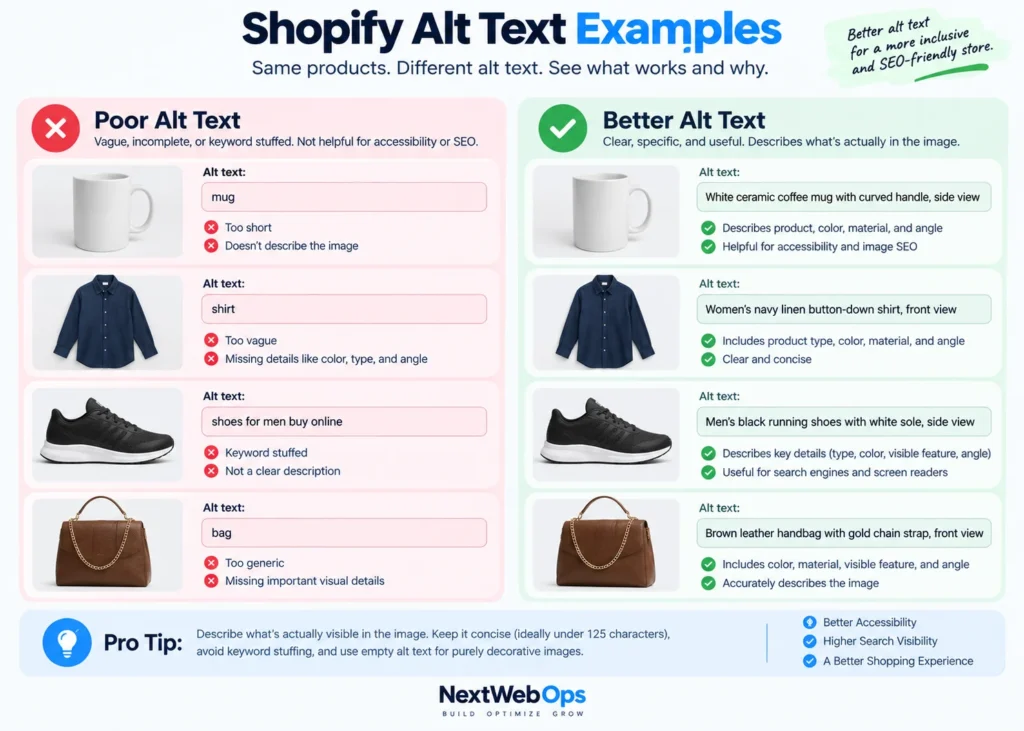
The right description depends on what the image actually shows.
Product Image
Image: White ceramic coffee mug photographed from the side
Alt text:
White ceramic coffee mug with curved handle, side view
Clothing
Image: Navy linen women’s shirt shown from the front
Alt text:
Women's navy linen button-down shirt, front view
Shoes
Image: Black hiking boots with rugged outsole
Alt text:
Men's black waterproof hiking boots with lug sole
Furniture
Image: Adjustable desk with wood top
Alt text:
Oak standing desk with black adjustable frame
Lifestyle Image
Image: Model wearing the product outdoors
Alt text:
Woman wearing beige linen dress outdoors
Product Detail Shot
Image: Close-up of stitching and zipper on a handbag
Alt text:
Close-up of brown leather handbag stitching and gold zipper
Notice that none of these examples attempts to insert every possible keyword. Each one explains the useful visual information.
When Should Alt Text Be Empty?
Not every image needs a spoken description.
If an image is purely decorative and communicates no information that a user needs, empty alternative text can be appropriate so assistive technology can skip it.
Examples can include:
- decorative separators
- background flourishes
- non-informational patterns
- repeated decorative icons
The decision depends on context.
A star icon showing an actual customer rating communicates information. A decorative star used only as a visual flourish may not.
This is one reason automatically populating alt text on every image without reviewing image purpose can create poor accessibility.
Product Images vs Theme Images vs Blog Images
Product Images
Product image alt text should focus on what shoppers can learn from the photo.
That could include:
- product type
- color
- material
- angle
- important visual feature
For stores optimizing large catalogs, alt-text implementation should be part of the same workflow used for product page optimization.
Collection Images
A collection image may represent an entire category rather than one specific SKU.
For example:
Women's waterproof hiking boots displayed on rocky trail
Collection imagery should support the category without simply copying the collection title into every image field. It should also fit into the broader Shopify collection page SEO strategy.
Theme and Banner Images
A banner might communicate a seasonal product range, promotion, category, or brand message.
If the image itself contains meaningful visual information, describe it appropriately.
If all meaningful information already exists as accessible text next to the banner and the visual is purely decorative, repeating everything in the alt text may be unnecessary.
Blog Images
Blog image alt text should help readers understand why the visual exists.
An instructional screenshot might describe the interface step being shown, while a product photo might describe the featured item.
This complements a broader Shopify blog SEO workflow covering article structure, links, metadata, images, and publishing QA.
How to Handle Alt Text for Product Variants
Product galleries frequently include different colors, angles, materials, or states.
Do not automatically reuse the exact same alt text across every image.
For example:
Women's red trail running shoe, side view
Women's red trail running shoe, outsole view
Women's blue trail running shoe, side view
Women's blue trail running shoe, rear heel view
These descriptions make sense because the images actually communicate different information.
At the same time, avoid inventing differences simply to make every description unique. Accuracy matters more than uniqueness for its own sake.
Can You Bulk Edit Shopify Image Alt Text?
Yes. Shopify’s current product media documentation notes that alt text can be uploaded using CSV, which can be useful when managing larger catalogs.
A bulk workflow can be significantly faster than editing hundreds or thousands of product images individually, but it creates a different challenge: quality control.
Before importing large batches, check for:
- duplicate descriptions
- incorrect variants
- wrong colors or materials
- keyword stuffing
- descriptions copied from filenames
- blank meaningful images
Use a repeatable naming and QA system rather than generating descriptions blindly.
If your catalog needs a large-scale cleanup covering alt text, image naming, product publishing, or visual QA, discuss your Shopify image workflow with NextWebOps.
Should You Use a Shopify Alt Text Generator?
AI and automated alt-text tools can be useful when a store contains a large number of images.
Shopify itself may suggest alt text in its media editor, and Shopify’s current documentation advises merchants to review suggested descriptions before accepting or editing them.
That review step matters.
An automated system can misidentify:
- colors
- materials
- product types
- variants
- small visual details
- context
It can also generate repetitive descriptions that technically fill the field but provide little value.
If you use automation, evaluate it based on:
- accuracy
- accessibility quality
- duplicate output
- keyword stuffing
- product attribute accuracy
- how easily humans can review the results
For a catalog of 20 images, manual writing may be straightforward. For a catalog of 20,000 images, automation plus structured human QA may be much more practical.
Common Shopify Alt Text Mistakes
- Leaving meaningful product images blank: Important product information becomes less accessible.
- Keyword stuffing: Alt text is a description field, not a keyword list.
- Using identical descriptions everywhere: Different product angles and variants should be distinguished when useful.
- Starting every description with “image of”: Usually unnecessary.
- Describing information that is not visible: Alt text should reflect the actual image.
- Using filenames as alt text: A filename may be descriptive, but it is not automatically a useful sentence for a screen reader.
- Making every description excessively long: Communicate the useful information efficiently.
- Writing only for SEO: Accessibility comes first.
- Blindly accepting AI-generated text: Automated output still requires review.
- Ignoring variants: Different colors and views can require different descriptions.
Shopify Image Alt Text Checklist
- Describe what is actually visible.
- Keep descriptions concise and useful.
- Include important product attributes when visible.
- Use keywords only when they naturally describe the image.
- Distinguish useful product angles and variants.
- Avoid repetitive “image of” phrasing.
- Do not keyword stuff.
- Use empty alt text for appropriate decorative imagery.
- Review product, collection, blog, and theme images.
- Check bulk or AI-generated alt text for accuracy.
- Review the live storefront after publishing.
How Alt Text Fits Into Shopify Image SEO
Alt text is important, but it is only one part of Shopify image optimization.
A broader image SEO workflow should also consider:
- descriptive filenames
- appropriate dimensions
- file size and delivery
- modern image formats where appropriate
- image quality
- page context
- mobile presentation
- product gallery consistency
It is a mistake to spend hours perfecting alt text while uploading poorly organized or unnecessarily heavy images throughout the rest of the store.
For the broader workflow, see the NextWebOps guide to image SEO.
Final Thoughts on Shopify Image Alt Text
Good Shopify image alt text should be useful before it is optimized.
Describe meaningful images accurately, include important visible product details, keep descriptions concise, and avoid treating the field as a place for repetitive keywords.
For small catalogs, this can be managed image by image. For stores with hundreds or thousands of assets, alt text quickly becomes a content operations task involving consistency, bulk workflows, variants, automation, and QA.
NextWebOps helps ecommerce businesses and agencies with Shopify image optimization, product publishing, image naming, on-page SEO implementation, content formatting, and publishing QA.
Contact NextWebOps about your Shopify image optimization project.
Frequently Asked Questions
Does Shopify alt text help SEO?
Alt text gives search engines additional context about image content and is part of image SEO. Its primary purpose, however, is to provide useful alternative information for people who cannot see the image. Write for accuracy and accessibility rather than inserting keywords for rankings.
How long should Shopify image alt text be?
Shopify currently recommends keeping alt text brief and descriptive and suggests around 125 characters or fewer. Treat that as a practical recommendation rather than a strict SEO limit. Use enough text to communicate the important visual information.
How do I add alt text to Shopify product images?
Open the product in Shopify admin, select the relevant product media item, open the alt-text field, enter a brief description, and save it. Shopify’s interface may evolve, so use the product media editor available in your current admin.
How do I add alt text to Shopify theme images?
Open your Shopify theme editor, select the section containing the image, edit the image settings, enter the alternative text, and save the theme changes.
Should every Shopify image have alt text?
No. Meaningful images generally need useful alternative text, while purely decorative images can appropriately use empty alt text so screen readers can skip them. The correct choice depends on what the image contributes to the page.
Should Shopify alt text include keywords?
A keyword can appear when it naturally describes what is visible in the image. Do not add keywords that are irrelevant to the visual content or repeat several variations simply for SEO.
Can I bulk edit image alt text in Shopify?
Shopify supports alt-text workflows through product data and CSV files, which can help with larger catalogs. Bulk updates should always be reviewed for inaccurate, duplicate, or over-optimized descriptions.
What is a good Shopify product image alt text example?
A good example is “Men’s black waterproof hiking boots with lug sole, side view.” It identifies the product and useful visible characteristics without stuffing unrelated keywords.
Should I use an AI alt text generator for Shopify?
AI can speed up large image workflows, but generated descriptions should be reviewed. Automation can misidentify colors, materials, variants, and product details or create repetitive text.
Can alt text and an image filename be the same?
They may contain similar descriptive words, but they serve different purposes. A filename is typically a short hyphenated identifier, while alt text should be a readable description that makes sense to someone using assistive technology.
Leave a Reply