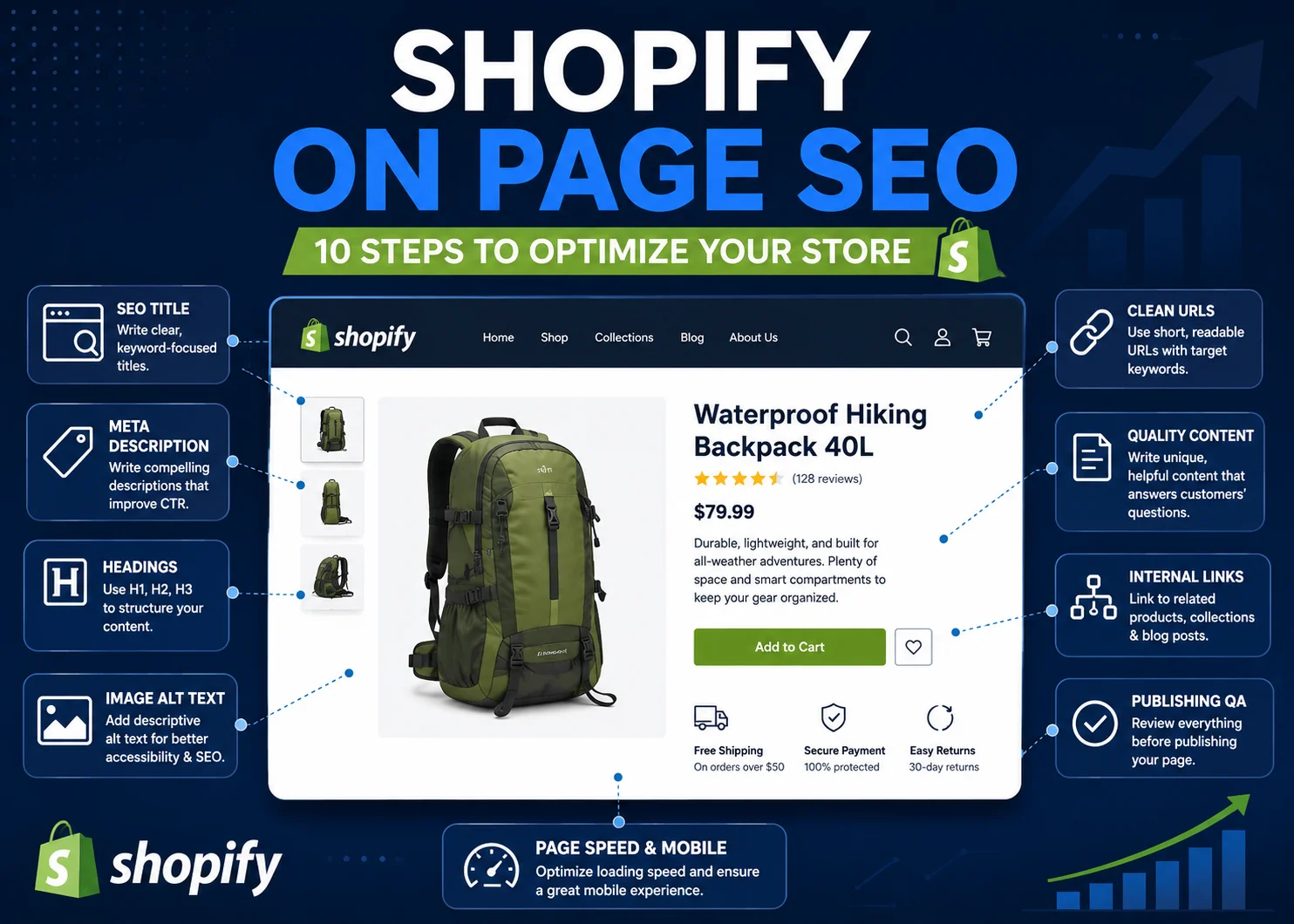
Shopify on page SEO is the process of improving the individual pages of your Shopify store so search engines can better understand them and shoppers can find useful, relevant information.
That includes more than adding keywords to product titles. Product descriptions, collection copy, page titles, meta descriptions, headings, URLs, images, internal links, and publishing quality all contribute to how well a page is optimized.
Shopify handles some SEO foundations for you, but store owners still control many of the page-level elements that can influence search visibility and user experience.
This guide explains how to optimize Shopify product pages, collection pages, blog content, and other important store pages using a practical on-page SEO workflow.
What Is Shopify On Page SEO?
Shopify on-page SEO is the process of optimizing the content and page elements you can directly control inside your Shopify store.
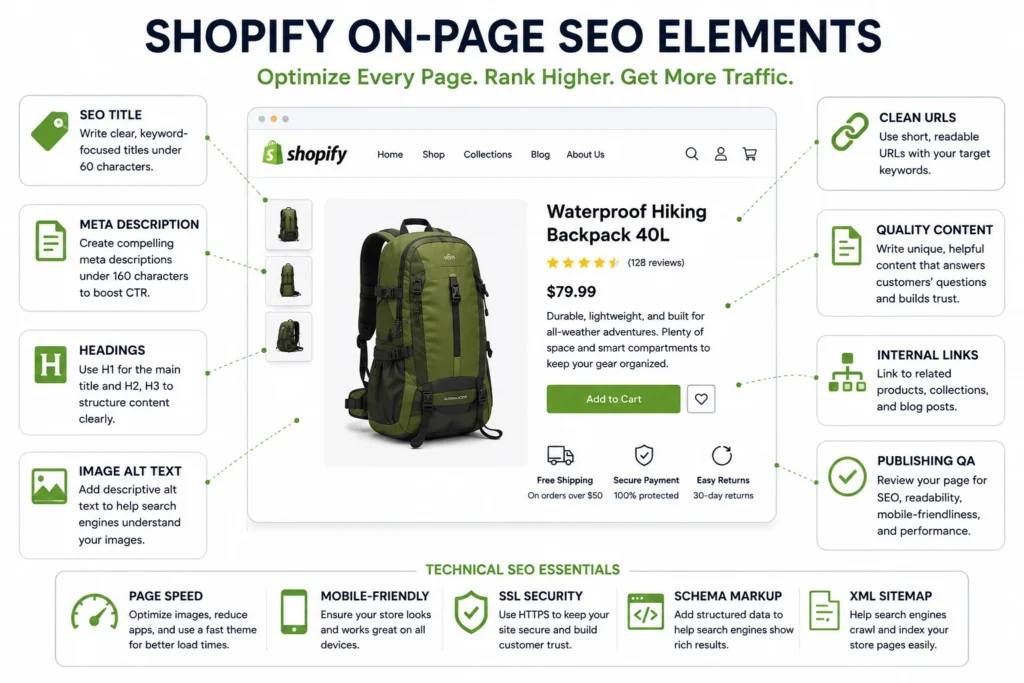
Common on-page elements include:
- Page titles
- Meta descriptions
- Product descriptions
- Collection descriptions
- Heading structure
- URLs and handles
- Image filenames and alt text
- Internal links
- Blog content
The goal is to make each page easier for search engines to interpret while also giving shoppers the information they need.
On-page SEO is only one part of broader web page optimization. A fully optimized Shopify page should also load efficiently, display properly on mobile devices, use appropriate images, and guide visitors toward a useful next step.
Why On-Page SEO Matters for Shopify Stores
A Shopify store may contain hundreds or even thousands of individual URLs. Each product, collection, article, and page creates another opportunity for people to discover the store through search.
But creating those pages does not automatically make them competitive.
For example, a product page with a generic manufacturer description, vague title, missing meta description, oversized images, and no internal links may provide search engines with limited useful context.
Improving the page can help clarify:
- What the product or collection is
- Which search intent it serves
- How it differs from similar pages
- Which other pages on the store are related
- What a shopper should do next
On-page optimization can therefore support both organic visibility and the shopping experience.
It should not be treated as a guarantee of rankings. Search visibility depends on many factors, but strong page-level implementation gives search engines and users a clearer, more useful page to work with.
10 Shopify On Page SEO Steps
The following process covers the main areas store owners and ecommerce teams can directly improve on Shopify pages.
1. Match Each Page to the Right Search Intent
Before changing titles or descriptions, decide what type of search the page should satisfy.
Different Shopify page types usually serve different intents.
For example:
- Product page: Someone searching for a specific item, model, style, size, or variation.
- Collection page: Someone browsing a broader product category.
- Blog post: Someone researching a problem, question, or topic.
- Informational page: Someone looking for shipping, sizing, returns, care instructions, or brand information.
A search such as “women’s waterproof hiking boots” might be a good fit for a collection page containing several relevant products.
A search such as “how to choose waterproof hiking boots” is more informational and may be better served by a blog article.
Trying to make every page rank for every related keyword can create overlapping content and unclear intent.
2. Choose One Primary Topic for Each Page
Each important Shopify page should have a clear primary topic.
That does not mean the page should contain only one keyword. It means its purpose should be specific enough that a visitor immediately understands what it offers.
For product pages, the primary topic is usually the specific product or product type.
For collection pages, it is normally the broader category.
For example:
- Product: “Men’s TrailPro Waterproof Hiking Boot”
- Collection: “Men’s Waterproof Hiking Boots”
- Blog: “How to Choose Hiking Boots for Wet Weather”
These pages are related, but they serve different intents.
Clear differentiation can also reduce unnecessary keyword cannibalization, where multiple pages from the same store compete for essentially the same search intent.
3. Optimize Shopify Page Titles
The page title is one of the clearest ways to communicate what a Shopify page is about.
Good titles should be:
- Specific
- Readable
- Relevant to search intent
- Unique where practical
- Written for humans rather than stuffed with keywords
For an important collection page, compare:
Weak: Products
Better: Men’s Waterproof Hiking Boots
The second version provides much more context to both shoppers and search engines.
On product pages, avoid turning titles into long keyword lists. The product name, model, important attribute, or category is usually enough when written naturally.
Shopify also provides a search engine listing area where merchants can review and edit how page titles and descriptions are presented for important store pages.
4. Write Useful Meta Descriptions
A meta description gives you an opportunity to summarize what a page offers.
For Shopify pages, useful descriptions should be concise, specific, and relevant to the searcher’s intent.
A product-page description might mention:
- The product type
- A useful differentiator
- A major benefit
- An important use case
A collection meta description should explain what shoppers can expect from the category rather than simply repeat the collection title several times.
Avoid using identical descriptions across a large number of high-value pages when those pages have meaningfully different purposes.
Search engines can choose different snippets depending on the query, but useful metadata still helps define the intended summary of the page.
5. Use Clear H1, H2, and H3 Headings
Headings organize page content and help visitors scan information quickly.
On many Shopify themes, the product or page title functions as the primary heading. Additional sections should then use H2 and H3 headings logically.
For example, a detailed product page might use:
- H1: Product name
- H2: Product Features
- H2: Materials and Care
- H2: Sizing Guide
- H2: Frequently Asked Questions
Avoid selecting heading tags only because they look larger or smaller visually. Heading structure should represent the organization of the content.
For more general page-level guidance, the NextWebOps on-page SEO checklist covers the core elements worth reviewing before publishing.
6. Improve Product and Collection Content
Product and collection content deserve different approaches because they serve different purposes.
Product Descriptions
A useful product description should help someone understand and evaluate the item.
Depending on the product, that can include:
- Key features
- Benefits
- Materials
- Dimensions
- Fit or sizing
- Compatibility
- Care instructions
- Recommended use cases
- Important limitations
Avoid copying a manufacturer’s generic description across multiple stores whenever you have the opportunity to provide more useful original information.
The purpose is not to hit an arbitrary word count. A simple product may need relatively little copy, while a complex or expensive product may require significantly more information to answer customer questions.
Collection Descriptions
Collection pages can be valuable SEO landing pages because they represent broader categories that people may search for before choosing an individual product.
A useful collection introduction can explain:
- What types of products are included
- Who the collection is for
- Important features or differences
- How shoppers can choose between options
Avoid placing a huge block of keyword-heavy copy above the product grid if it makes browsing difficult.
The collection page still needs to function as an ecommerce page.
If you are systematically improving existing store content rather than optimizing a single page, use a structured content optimization strategy to prioritize pages with the strongest opportunity first.
7. Optimize Shopify URLs
Shopify uses standard URL structures for different page types, such as product, collection, and blog paths.
You usually have control over the editable handle within that structure.
A good Shopify URL handle should be:
- Short enough to understand easily
- Descriptive
- Relevant to the page
- Free from unnecessary filler words
For example:
/products/waterproof-hiking-boots
is easier to interpret than:
/products/item-new-version-2026-x100-final
Be careful when changing URLs on pages that are already live. Changing an established URL can affect existing links and search visibility if redirects and related details are not handled correctly.
8. Optimize Product and Collection Images
Ecommerce stores are image-heavy, which makes image optimization especially important.
Large product photos can improve the shopping experience, but oversized files can also increase page weight unnecessarily.
Review each image for:
- Appropriate dimensions
- File size
- Compression
- File format
- Filename
- Alt text
Resize images before uploading them where practical. Modern formats such as WebP can often provide good visual quality with smaller file sizes.
Use descriptive filenames rather than leaving meaningless camera or export filenames when possible.
For example:
mens-black-waterproof-hiking-boot.webp
is more descriptive than:
IMG_83929-final2.webp
Alt text should accurately describe the image when a textual alternative is useful. Avoid inserting keywords that do not describe what is actually shown.
For more detail, see the NextWebOps guide to image SEO best practices.
9. Build Useful Internal Links
Internal links help shoppers move between related products, categories, and information.
They also help search engines understand relationships across your store.
Useful Shopify internal-linking opportunities include:
- Blog article → relevant collection
- Blog article → relevant product
- Collection → related collection
- Guide → supporting product category
- Informational page → useful shopping destination
For example, an article explaining how to choose hiking boots might naturally link to your hiking boot collection when shoppers are ready to browse options.
Use descriptive anchor text instead of generic phrases such as “click here.”
At the same time, avoid turning every sentence into a link or repeatedly forcing exact-match keywords.
See these internal linking best practices for a broader framework.
10. Perform Shopify Publishing QA
On-page SEO recommendations only create value when they are implemented correctly on the live store.
Before considering an important product, collection, or content page complete, review:
- Page title
- Search listing title
- Meta description
- Heading hierarchy
- Product or collection copy
- Image display
- Image alt text
- Internal links
- Buttons and CTAs
- Mobile formatting
- Spacing and visual consistency
- Spelling and grammar
Check the published page rather than assuming everything entered in the Shopify editor appears correctly on the storefront.
If your SEO strategy is ready but product pages, collection content, metadata, images, and internal links still need to be implemented, contact NextWebOps for Shopify content publishing support.
Shopify Product Page SEO vs Collection Page SEO
Product and collection pages should support each other, but they usually target different stages of the buying process.
| Element | Product Page | Collection Page |
|---|---|---|
| Primary intent | Specific product | Broader product category |
| Main content | Features, benefits, specifications, use cases | Category context, product selection guidance |
| Keyword focus | Specific product or narrow product type | Broader category terms |
| Images | Detailed product imagery | Collection/category presentation |
| Internal links | Related products, collections, guides | Products, subcategories, supporting content |
Product Page SEO
A product page needs enough specific information to help someone decide whether the item fits their needs.
Important areas include:
- Specific product title
- Original description
- Features and specifications
- High-quality optimized images
- Relevant alt text
- Useful metadata
- Related products or supporting links
- Clear purchase action
Collection Page SEO
A collection page should help shoppers understand and navigate a group of products.
Important areas include:
- Descriptive collection title
- Useful introductory copy
- Clear product organization
- Relevant metadata
- Links to related categories
- Helpful filters or navigation where appropriate
The mistake to avoid is treating a collection page as nothing more than a grid of products or, at the other extreme, turning it into a long SEO article that pushes the actual products too far down the page.
The page still needs to serve shoppers first.
Should You Use Shopify SEO Apps or Optimize Pages Manually?
Shopify SEO apps can be useful, but they should not automatically replace manual page review.
Automation is particularly useful for repetitive or technical tasks.
Depending on the app, this might include:
- Detecting missing metadata
- Monitoring broken links
- Assisting with structured data
- Flagging image issues
- Managing repetitive workflows
However, software cannot reliably make every strategic content decision for your store.
Human review remains especially valuable for:
- Search intent
- Product positioning
- Content quality
- Collection descriptions
- Internal-link decisions
- Brand voice
- Conversion messaging
A generated title may contain a keyword and still be poor for shoppers. An automatically written product description may be technically unique but provide little useful information.
A practical approach is to use automation where it saves repetitive work while keeping human judgment for elements that affect relevance, usefulness, and brand communication.
Common Shopify On-Page SEO Mistakes
Many Shopify SEO problems are not advanced technical issues. They are repeatable page-level mistakes that accumulate across a catalog.
Copying Manufacturer Descriptions
Manufacturer copy may not answer the questions your customers care about and can appear across many other stores.
Add original information where it provides meaningful value.
Using the Same Metadata Everywhere
Templates can save time, but important products and collections deserve metadata that accurately reflects their unique purpose.
Publishing Thin Collection Pages
A category with only a title and a grid may provide very little context. Add useful introductory information when it genuinely helps shoppers understand the collection.
Keyword Stuffing
Repeating a phrase excessively in headings, product descriptions, alt text, and metadata does not make the page more helpful.
Use keywords naturally while keeping the text readable.
Using Generic or Inaccurate Alt Text
Alt text should describe the image rather than act as a hidden keyword field.
Uploading Oversized Images
Ecommerce pages often use multiple images. Unnecessarily large files can add substantial page weight across a product catalog.
Ignoring Internal Links
Blog content and informational guides can attract visitors but fail to support ecommerce pages if there is no logical path toward relevant products or collections.
Creating Multiple Pages for the Same Intent
Very similar products or collections can create unnecessary overlap when page purpose and targeting are not clearly differentiated.
Poor Heading Structure
Headings should organize information rather than simply create visual formatting.
Skipping Publishing QA
A well-written SEO recommendation can still result in a poor live page if images, links, metadata, or formatting are implemented incorrectly.
Shopify On Page SEO Checklist
Use this checklist when reviewing an important Shopify page:
- Primary search intent is clear.
- The page has a distinct primary topic.
- The title accurately describes the product, collection, or content.
- The SEO title is clear and relevant.
- The meta description is useful and unique where appropriate.
- Headings follow a logical structure.
- Product or collection content is original and useful.
- The editable Shopify URL handle is readable.
- Images are appropriately sized and compressed.
- Image filenames are descriptive where practical.
- Alt text accurately describes relevant images.
- Internal links connect related pages.
- Buttons and CTAs work correctly.
- Mobile presentation has been checked.
- Publishing QA has been completed.
When to Get Help With Shopify On-Page SEO Implementation
A small Shopify store with a limited catalog may be able to handle most optimization internally.
The workload becomes very different when a store has hundreds of products, dozens of collections, an active blog, and an ongoing stream of new content.
Implementation support can become useful when:
- SEO recommendations are ready but not published
- Large numbers of product descriptions need updating
- Collection content needs to be added or reformatted
- Metadata needs systematic review
- Images require resizing or optimization
- Internal links need to be added across existing content
- Publishing quality varies between team members
- The internal marketing team needs to focus on strategy rather than repetitive CMS work
The SEO strategy and implementation do not always have to be handled by the same person or team.
An SEO specialist may identify what should change, while a content implementation team handles the actual updates inside Shopify and checks the live pages afterward.
Managing on-page updates across a large catalog can become repetitive quickly. Talk to NextWebOps about Shopify publishing, content formatting, image optimization, metadata, internal linking, and QA.
Final Thoughts
Effective Shopify on page SEO is not about installing an app and assuming every product page is optimized.
The strongest approach combines:
Search intent + useful content + titles + metadata + headings + images + internal links + accurate implementation + publishing QA.
Start with your most important products and collections rather than attempting to rewrite an entire store at once.
Make sure each page has a clear purpose, gives shoppers enough useful information, uses sensible metadata and headings, contains optimized images, and connects logically to other relevant pages.
Then check the live storefront after publishing.
Need help turning Shopify SEO recommendations into properly published store updates? Get in touch with NextWebOps for hands-on Shopify content implementation support.
Frequently Asked Questions
What is on-page SEO in Shopify?
Shopify on-page SEO is the process of optimizing individual store pages and the elements you can directly control, including page titles, meta descriptions, headings, product and collection content, URLs, images, and internal links.
Can you do SEO on Shopify?
Yes. Shopify provides built-in SEO functionality and technical foundations, while store owners can optimize important page-level elements such as titles, content, metadata, images, URLs, and internal linking.
How do I optimize a Shopify product page for SEO?
Start with the correct search intent and a clear product title. Add useful original product information, optimize the SEO title and meta description, use appropriate headings, optimize images and alt text, use a readable URL handle, add relevant internal links, and check the live page after publishing.
How do I optimize Shopify collection pages?
Use a descriptive collection title, write useful introductory content, optimize metadata, organize products clearly, include relevant internal links, and keep the collection easy for shoppers to browse. Avoid adding large blocks of keyword-heavy content simply for SEO.
Do I need a Shopify SEO app?
No SEO app is required for many basic on-page tasks. Apps can help automate repetitive work and identify issues, but important decisions about search intent, product content, metadata, internal linking, and user experience still benefit from manual review.
Does Shopify automatically handle SEO?
Shopify handles some SEO and technical elements automatically, but individual product, collection, blog, and page content still requires optimization. Store owners remain responsible for many page-specific elements, including content, titles, descriptions, images, and internal links.
How long should Shopify product descriptions be for SEO?
There is no ideal word count that applies to every product. A description should be long enough to explain the product clearly, answer important customer questions, and provide useful information without adding unnecessary filler.
Leave a Reply