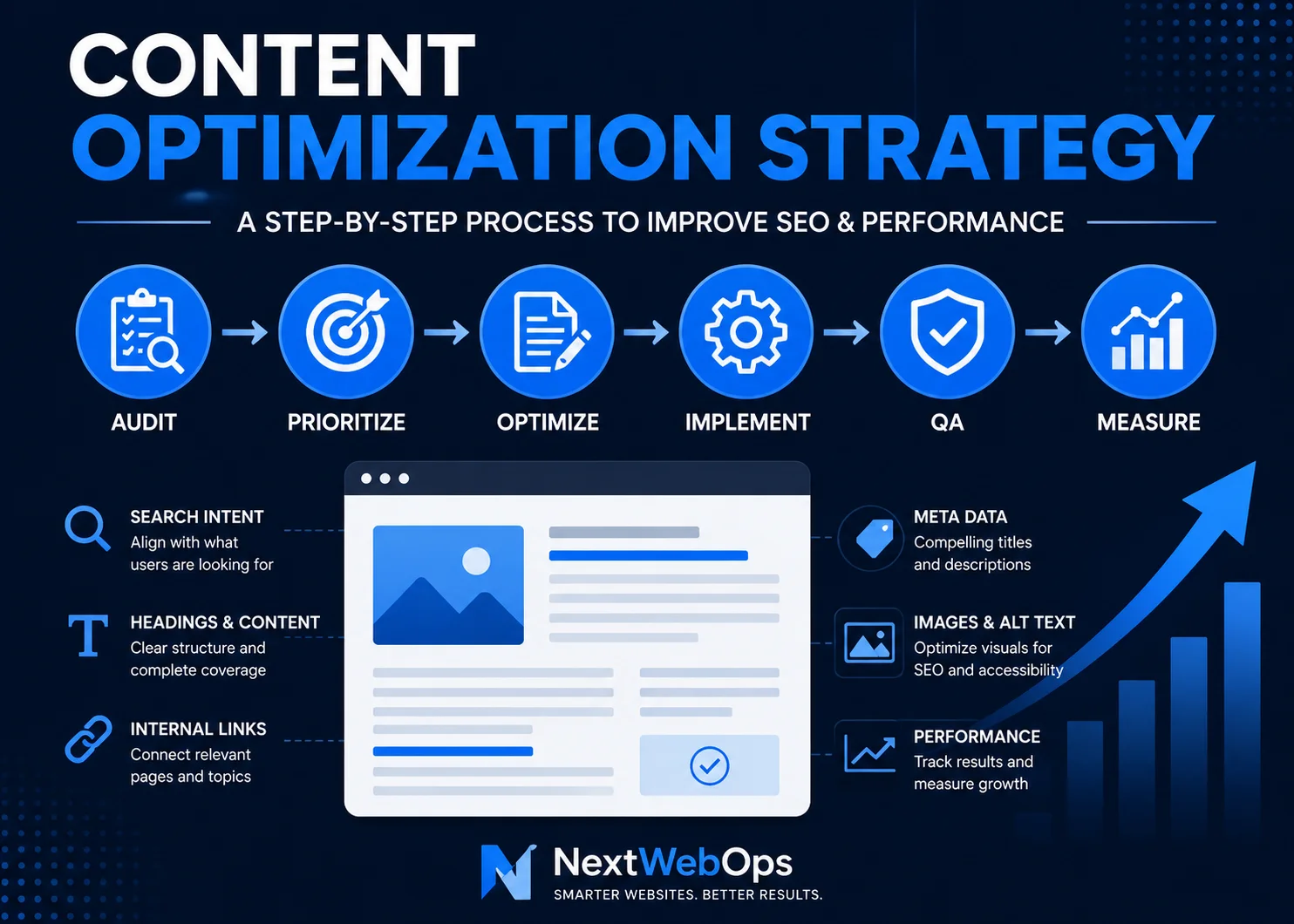
A strong content optimization strategy helps you get more value from the content you already have. Instead of continuously publishing new pages and hoping they perform, optimization focuses on improving existing content so it better matches search intent, answers user questions, earns organic visibility, and supports business goals.
That can involve much more than adding keywords. Titles, headings, internal links, images, metadata, formatting, outdated information, calls to action, and even publishing quality can influence how useful a page is to visitors.
The most effective approach is to treat content optimization as an ongoing process:
Audit → Prioritize → Optimize → Implement → QA → Measure → Repeat.
This guide explains how to build that process into a practical workflow for your website.
What Is a Content Optimization Strategy?
A content optimization strategy is a structured process for reviewing and improving website content so it performs better for users, search engines, and business goals.
Content optimization can include improving:
- Search intent alignment
- Topic coverage
- Titles and headings
- Keyword targeting
- Meta descriptions
- Internal linking
- Images and alt text
- Page formatting
- Calls to action
- Content freshness
- Publishing quality
It is different from content creation. Content creation focuses on producing something new. Optimization asks whether an existing page is still useful, competitive, easy to understand, technically well implemented, and aligned with what searchers expect.
It also differs from a traditional SEO audit. An audit identifies problems and opportunities. Content optimization includes the actual work required to improve the page after those opportunities are found.
Why Content Optimization Matters
A page that performed well two years ago may not perform equally well today. Search behavior changes, competing pages improve, information becomes outdated, and businesses add new services or resources that should be incorporated into older content.
Optimization helps address those changes without starting from zero.
For example, an established article may already have backlinks, impressions, search history, or rankings. Improving that page may create a faster opportunity than publishing a completely new article targeting a similar topic.
Content optimization can also improve the experience after someone reaches your website. A page may rank but still have weak formatting, confusing headings, oversized images, outdated links, or no clear next step for the reader.
The goal is therefore broader than rankings. A useful strategy considers visibility, usability, relevance, and conversions together.
How to Build a Content Optimization Strategy
You do not need to optimize every page at once. A better approach is to identify the pages with the strongest opportunities and work through them systematically.
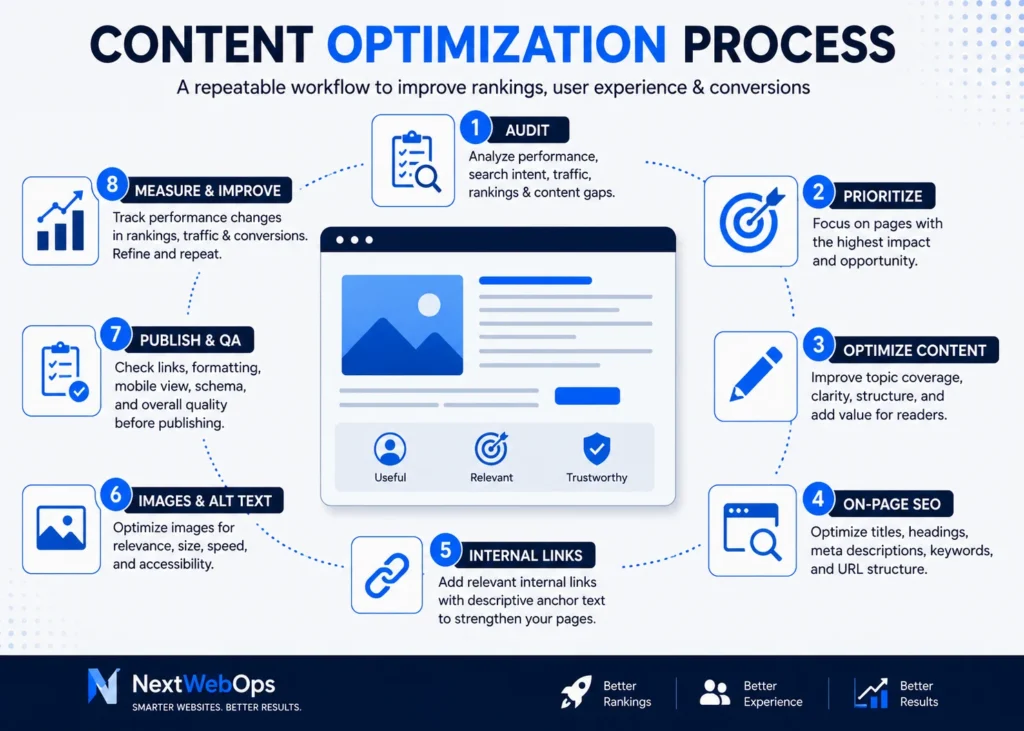
1. Audit Your Existing Content
Start by understanding what you already have.
Create an inventory of important pages and review available performance data. Google Search Console can help identify pages receiving impressions, clicks, and search visibility. Analytics data can provide additional context about traffic and user behavior.
Look for pages with characteristics such as:
- Declining organic traffic
- Falling keyword positions
- High impressions but relatively few clicks
- Outdated statistics, screenshots, instructions, or examples
- Weak internal linking
- Thin or incomplete coverage of the topic
- Duplicate or overlapping content
- Pages that no longer reflect current services or products
A detailed on-page SEO audit can also help uncover page-level issues that should be addressed during optimization.
2. Prioritize Pages With the Best Opportunity
One of the biggest mistakes in content optimization is treating every page as equally important.
A page generating no impressions for an irrelevant keyword may not deserve the same attention as a commercially valuable page ranking near the bottom of page one.
Useful prioritization categories include:
- Pages ranking around positions 5–20: Improvements may help them compete for stronger visibility.
- Pages with high impressions and weak click-through rates: Titles and search-result messaging may need attention.
- Previously successful pages losing traffic: These may be experiencing content decay or stronger competition.
- Commercially important pages: Even modest ranking improvements can matter when the traffic has strong business intent.
- Outdated content: Incorrect information can reduce usefulness and trust.
This approach turns optimization into a business decision rather than a random content-cleanup project.
3. Reconfirm Search Intent
Before rewriting anything, check whether the page still matches what people searching the target query actually want.
Search intent generally falls into several broad categories:
- Informational: The user wants to learn something.
- Commercial: The user is comparing solutions, products, or providers.
- Transactional: The user is preparing to take an action such as purchasing or requesting a service.
- Navigational: The user is trying to reach a specific website or page.
A page can be well written and technically optimized but still struggle if it answers the wrong type of question.
Review current search results for the primary keyword. Look at the types of pages ranking, the questions they answer, how detailed they are, and which formats Google appears to favor.
Then determine whether your page needs a small update or a more substantial repositioning.
4. Improve Content Quality and Completeness
Once intent is clear, review the actual substance of the page.
Ask whether it fully answers the reader’s main question and provides enough context for someone to take the next step.
Look for:
- Important questions that are not answered
- Old recommendations that are no longer useful
- Unclear definitions
- Weak or generic examples
- Repetitive sections
- Unsupported claims
- Sections that exist only to increase word count
Optimization does not always mean making an article longer. Sometimes the better optimization is removing unnecessary paragraphs and making the useful information easier to find.
For pages that are specifically aging or losing relevance, the process in how to update old blog posts for SEO can help you evaluate what should be refreshed, expanded, or removed.
5. Optimize Keywords and On-Page SEO
Keywords still help search engines and users understand page relevance, but they should be incorporated naturally.
Review whether the primary keyword appears where it makes sense, including:
- SEO title
- Page title
- Opening paragraphs
- Relevant H2 or H3 headings
- Main content
- URL where appropriate
- Meta description
Also review related terms and subtopics that naturally belong in a complete explanation of the subject.
Avoid forcing the same phrase into every paragraph. The purpose of optimization is clarity and relevance, not reaching an arbitrary keyword density.
You should also check whether another page on your site is competing for the same intent. If two pages target nearly identical keywords and answer the same question, consolidation or clearer differentiation may be better than optimizing both independently.
For a broader review of page-level elements, use an on-page SEO checklist before publishing the update.
6. Improve Titles and Meta Descriptions
The SEO title and meta description help communicate what a page offers before the visitor reaches your website.
A good title should be specific, readable, and closely aligned with the searcher’s intent. Avoid making it longer or more dramatic simply to insert additional keywords.
Meta descriptions should summarize the page clearly and give searchers a reason to consider the result.
When reviewing metadata, check for:
- Missing titles or descriptions
- Duplicate metadata across multiple pages
- Outdated messaging
- Titles that no longer match the content
- Important pages with vague descriptions
Google may generate its own search-result snippets, but well-written metadata still gives you a clear, relevant description associated with the page.
7. Strengthen Internal Linking
Internal links help visitors discover related information and help search engines understand relationships between pages.
Content optimization is an ideal time to review them.
Look for opportunities to:
- Add links from older articles to useful newer content
- Link relevant informational posts to important service or commercial pages
- Replace vague anchors such as “click here” with descriptive text
- Remove or update broken links
- Identify important pages receiving very few internal links
A strong internal linking system should feel useful to the reader rather than artificial. Links should appear because the destination genuinely helps someone understand the topic or take the next logical step.
See these internal linking best practices for a more detailed process.
8. Improve Content Formatting and Readability
Even excellent information can become difficult to use when it is poorly formatted.
During optimization, review how the article appears on the actual website—not only inside a document or content management system.
Useful formatting improvements can include:
- Breaking long paragraphs into shorter sections
- Using clear H2 and H3 headings
- Turning dense instructions into lists
- Using tables when comparisons are easier to understand visually
- Removing unnecessary bold formatting
- Checking spacing around images and headings
- Making sure the page remains easy to scan on mobile devices
Google’s SEO Starter Guide also emphasizes creating content that is well organized and easy for users to follow: Google Search Central SEO Starter Guide.
For businesses managing many pages, this is where strategy often becomes an implementation problem. Recommendations may exist in an SEO document, but every heading, link, image, metadata field, and content block still has to be correctly updated in the CMS.
Need help turning optimization recommendations into properly implemented website updates? Contact NextWebOps for content implementation and publishing support.
9. Optimize Images
Images should support the content without creating unnecessary page weight or accessibility problems.
Review:
- Image dimensions
- File size
- File format
- Filename
- Alt text
- Visual relevance
Resize images before uploading them when possible. Modern formats such as WebP can often reduce file size while maintaining good visual quality.
Alt text should describe the image when a description is useful. Avoid inserting keywords that do not accurately represent what the image shows.
For a deeper explanation, see the NextWebOps guide to image SEO.
10. Publish, QA, and Monitor Results
The optimization process is not complete when editing stops.
Publishing quality matters because implementation mistakes can undermine otherwise good work.
Before finalizing the updated page, check:
- Heading hierarchy
- Internal and external links
- SEO title and meta description
- Image dimensions and alt text
- Spacing and formatting
- Mobile presentation
- Grammar and spelling
- Calls to action
- Schema settings when relevant
After the updated page is live, monitor its performance rather than assuming the changes worked.
Depending on the page and objective, useful metrics may include:
- Search impressions
- Organic clicks
- Average search position
- Click-through rate
- Organic traffic
- Leads or conversions
Some pages may improve after a relatively small update, while others may require additional changes. Measurement is what turns one-time editing into an actual optimization strategy.
If your team already knows what needs to change but lacks time to implement metadata, links, images, formatting, and CMS updates, talk to NextWebOps about hands-on content optimization support.
How Often Should You Optimize Existing Content?
There is no universal rule requiring every article to be updated every three, six, or twelve months.
A better approach is to optimize based on meaningful triggers.
Consider reviewing a page when:
- Organic traffic declines noticeably
- Important keyword rankings fall
- Information becomes outdated
- A competing page becomes significantly more useful
- Search intent changes
- Your business introduces a relevant new service or product
- Internal links become outdated
- The page receives impressions but attracts few clicks
High-value and time-sensitive pages may deserve more frequent reviews than evergreen pages that continue performing well.
Content Optimization Strategy Checklist
Use this condensed checklist when reviewing an existing page:
- Review current traffic, impressions, clicks, and rankings.
- Confirm the page still matches search intent.
- Update outdated or inaccurate information.
- Fill meaningful content gaps.
- Remove unnecessary or repetitive sections.
- Review keyword targeting and heading structure.
- Improve the SEO title and meta description where needed.
- Add relevant internal links.
- Check image size, format, filenames, and alt text.
- Improve readability and mobile formatting.
- Add an appropriate next step or CTA.
- Perform publishing QA.
- Monitor performance after the update.
When Should You Handle Content Optimization In-House or Outsource It?
Many businesses can handle optimization internally when the website is small and updates are occasional.
For example, a team managing ten core pages and a modest blog may be able to review and update content during normal marketing work.
The challenge changes when optimization needs to happen across dozens or hundreds of pages.
External implementation support may become useful when:
- A large backlog of content needs updating
- SEO recommendations are ready but not implemented
- Internal links need systematic updates
- Images require resizing, compression, replacement, or alt text
- Metadata needs to be added across many pages
- Formatting is inconsistent
- Content must be migrated or updated inside WordPress, Shopify, or Webflow
- Publishing QA is consuming too much internal time
The strategic decisions can remain with your SEO or marketing team while implementation is handled separately. This is especially useful for agencies and businesses that have strong content plans but limited publishing capacity.
Final Thoughts
A content optimization strategy should be more than occasionally adding keywords to old articles.
The strongest process combines performance analysis, search intent, content quality, on-page SEO, internal linking, metadata, images, formatting, publishing QA, and ongoing measurement.
Start with the pages that have the greatest opportunity instead of trying to refresh your entire site at once. Improve them systematically, measure what happens, and use those results to decide what to optimize next.
When repeated consistently, the process becomes:
Audit → Prioritize → Optimize → Implement → QA → Measure → Repeat.
If you need help implementing that process across existing website content, get in touch with NextWebOps for practical content publishing and optimization support.
Frequently Asked Questions
What is a content optimization strategy?
A content optimization strategy is a repeatable process for improving existing website content so it better meets user needs, matches search intent, supports SEO performance, and contributes to business goals.
What are the main elements of content optimization?
Common elements include search intent, content quality, keyword targeting, headings, metadata, internal links, images, readability, content freshness, calls to action, publishing QA, and performance measurement.
How often should website content be optimized?
Content should be reviewed when performance declines, information becomes outdated, search intent changes, competitors improve significantly, or business information changes. Not every page needs to be updated on the same fixed schedule.
How do you optimize existing content for SEO?
Start by reviewing performance and search intent. Update outdated information, improve topic coverage, optimize headings and metadata, strengthen internal links, optimize images, improve formatting, perform publishing QA, and monitor results after the update.
What is the difference between content optimization and content strategy?
Content strategy determines what content a business should create, who it should serve, and what goals it should support. Content optimization focuses on improving individual pages so they perform better within that broader strategy.
Can updating old content improve SEO rankings?
Updating old content can improve its usefulness and competitiveness when the changes address real problems such as outdated information, weak topic coverage, poor search intent alignment, missing internal links, or ineffective metadata. Updates should be based on meaningful opportunities rather than changing content simply to make it appear fresh.
Leave a Reply