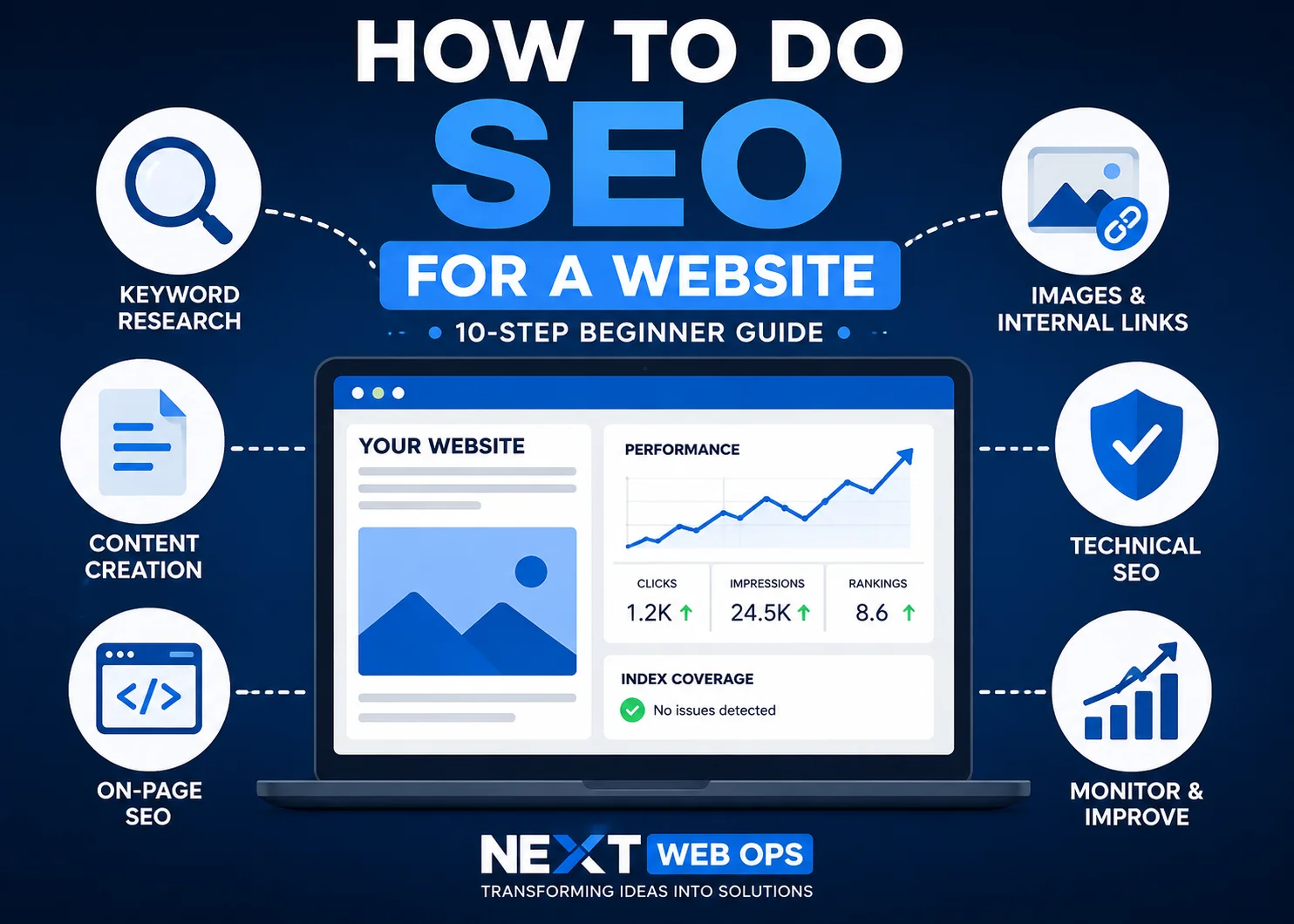
If you are trying to learn how to do SEO for website growth, the process can look more complicated than it really is. SEO includes keyword research, content creation, on-page optimization, technical improvements, internal linking, image optimization, and ongoing performance monitoring.
The key is to work through these areas in the right order instead of trying to optimize everything at once.
This guide explains how to do SEO for a website step by step, with practical actions you can apply to a small business site, company website, blog, or service-based website.
How SEO for a Website Works
Search engine optimization helps search engines discover, understand, and evaluate your website so relevant pages can appear when people search for related information, products, or services.
At a basic level, SEO depends on several connected factors:
- Crawling: Search engines need to be able to access your pages.
- Indexing: Your pages need to be eligible for inclusion in search results.
- Relevance: Your content should match what people are searching for.
- Quality: The page should provide a useful and complete answer.
- Authority: Search engines consider signals such as relevant links and mentions from other websites.
- User experience: Pages should be accessible, readable, mobile-friendly, and reasonably fast.
SEO works best when these elements support each other. Publishing good content will not help much if search engines cannot crawl the page. Likewise, technically perfect pages may struggle if they do not satisfy search intent.
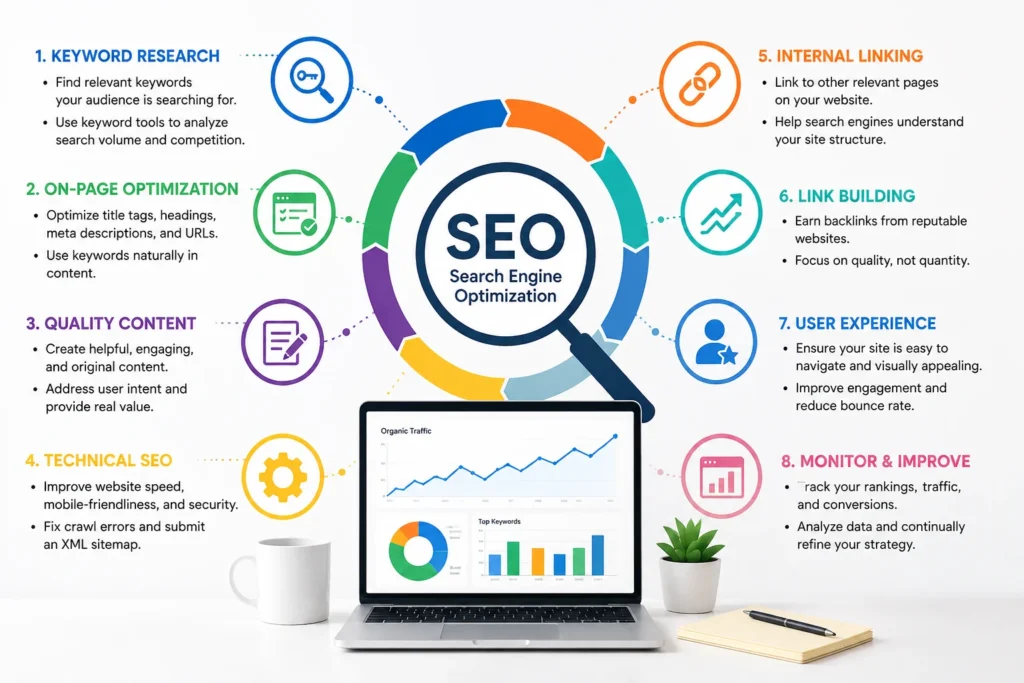
How to Do SEO for a Website Step by Step
You do not need to complete every possible SEO task before seeing progress. Start with the fundamentals below and build from there.
1. Set Up Google Search Console
Google Search Console should be one of the first tools you set up for a website you want to grow through organic search.
It can help you see:
- Whether Google can find and index your pages
- Which search queries generate impressions and clicks
- Which pages receive organic traffic
- Whether Google reports indexing problems
- Which pages are excluded from the index
- Whether your sitemap has been discovered successfully
After verifying your website, submit your XML sitemap if your website platform generates one. WordPress SEO plugins, Shopify, Webflow, and many other content management systems can create sitemaps automatically.
You can also use URL Inspection in Search Console to check individual pages after publishing or updating them.
2. Find Keywords Your Customers Search For
Keyword research helps you understand the language people use when searching for information related to your business.
A common beginner mistake is choosing the broadest keyword available. Broad terms can be highly competitive and may not clearly reflect what the searcher wants.
Instead, look for specific keywords that match a real problem, question, service, or buying need.
For example, a small business may find it difficult to compete for a broad keyword such as:
SEO
A more specific search could be:
SEO checklist for small business website
The more specific phrase gives you a clearer idea of what kind of content the searcher expects.
When researching keywords, evaluate:
- Search intent
- Relevance to your business
- Competition
- Search demand
- Commercial value
- Whether you already have another page targeting the same topic
You can use Google Keyword Planner, Google Search Console, paid SEO tools, and Google search results to identify possible topics.
3. Match Each Page to Search Intent
Finding a keyword is only the beginning. Your page also needs to match what the person searching that keyword actually wants.
Search intent usually falls into a few broad categories:
- Informational: The person wants to learn something.
- Commercial research: The person is comparing solutions or providers.
- Transactional: The person is ready to buy, contact, subscribe, or take another action.
- Navigational: The person wants to reach a specific website or page.
For example, someone searching “how to optimize images for SEO” probably wants a guide. Someone searching “SEO content publishing service” is more likely looking for a provider.
Do not automatically create a blog post for every keyword. Some keywords are better served by a service page, landing page, category page, product page, or other commercial content.
4. Create Helpful Content That Answers the Search
Good SEO content should solve the searcher’s problem rather than simply repeat the target keyword.
Before writing, review the results already ranking for your target query. Look at the types of pages Google is showing and the topics those pages commonly cover.
Then ask how your page can be more useful.
This can mean adding:
- Clearer instructions
- Practical examples
- Better organization
- Original explanations
- Useful checklists
- Common mistakes
- More current information
- Answers to related questions
Avoid adding paragraphs simply to make an article longer. A 1,500-word page that answers the query clearly can be more useful than a 4,000-word article filled with repetition.
Older content also needs attention. Rankings and search behavior can change over time. Reviewing outdated pages, improving weak sections, updating examples, and checking links can keep existing content useful. If you already have published articles losing visibility, see our guide on how to update old blog posts for SEO.
5. Optimize Your SEO Title, URL, and Meta Description
Once the content direction is clear, optimize the main page elements that help users and search engines understand the topic.
Your SEO title should clearly describe the page and, when natural, include the primary keyword near the beginning.
A good URL should usually be short and descriptive.
For example:
example.com/how-to-do-seo-for-website/
is easier to understand than:
example.com/blog/post?id=29482&category=7
Your meta description should briefly explain what the user will find on the page. While Google may rewrite descriptions in search results, writing a clear one still gives search engines and searchers useful context.
Avoid forcing the exact keyword into every field if it makes the text unnatural. Optimization should improve clarity, not make the page read like it was written for a plugin score.
6. Optimize Headings and On-Page Content
Your page should have a clear heading structure.
Normally, the page title is the main H1. Major sections should use H2 headings, while subsections beneath them should use H3 headings.
For example:
- H1: Main page topic
- H2: Major section
- H3: Specific point inside that section
Headings help users scan the page and help search engines understand how topics relate to one another.
Use your main keyword naturally near the beginning of the page and within relevant content, but do not repeatedly insert it where it does not belong.
You should also review:
- Paragraph length
- Content clarity
- Keyword variations
- Relevant entities and terminology
- Internal links
- Image optimization
- Broken links
- Outdated content
For a more detailed page-by-page process, use our on-page SEO checklist. If you are reviewing an existing website rather than optimizing a new page, an on-page SEO audit can help identify what needs improvement.
7. Optimize Website Images
Images affect both user experience and website performance, so they should be part of your SEO publishing process.
Before uploading an image, consider:
- Whether the dimensions are larger than necessary
- Whether the file has been compressed
- Whether WebP is an appropriate format
- Whether the filename describes the image
- Whether the image needs descriptive alt text
For example, instead of uploading:
IMG_48291.jpg
a descriptive filename might be:
website-seo-workflow.webp
Alt text should describe the image accurately for accessibility. Do not fill every alt attribute with keywords simply because an SEO plugin recommends using the target phrase.
Large, poorly optimized images can also increase page weight and slow down loading. For a deeper process, see our guide to image SEO and image optimization.
8. Add Internal Links
Internal links connect one page on your website to another.
They help visitors discover useful content and give search engines additional context about your site structure.
When adding internal links:
- Link to pages that are genuinely relevant
- Use descriptive anchor text
- Place links where they are useful to the reader
- Link important pages from other relevant pages
- Avoid adding dozens of unrelated links simply for SEO
For example, if you mention image optimization inside an SEO guide, linking to a detailed image SEO article makes sense. Linking to an unrelated service only because you want to increase internal link counts does not.
Strong internal linking also helps prevent useful pages from becoming isolated. Read our internal linking best practices for a more detailed strategy.
9. Fix Important Technical SEO Problems
Technical SEO can become complex, but beginners do not need to solve every advanced issue at once.
Start with problems that can prevent search engines or users from accessing your website properly.
Check that:
- Your site uses HTTPS
- Important pages are crawlable
- Important pages are not accidentally marked noindex
- Your XML sitemap works
- Your website works well on mobile devices
- Pages do not contain obvious broken links
- Redirects work properly after URL changes
- Your website loads at a reasonable speed
- Duplicate pages are handled appropriately
- Your robots.txt file is not blocking important content
Google Search Console can help identify some indexing and crawling problems. Performance tools such as PageSpeed Insights can also help you understand speed and Core Web Vitals issues.
Do not make technical changes you do not understand simply because an SEO audit tool labels something as an error. Some warnings are more important than others, and incorrect changes to canonical tags, redirects, robots.txt, or index settings can create larger problems.
10. Build Authority and Earn Relevant Links
Backlinks are links from other websites to yours. They can help search engines discover content and may contribute to how search engines evaluate a site’s authority and reputation.
However, link building should not mean buying hundreds of low-quality links.
Better approaches include:
- Publishing genuinely useful resources
- Creating original research or data
- Earning mentions from relevant industry websites
- Contributing expert insight to publications
- Building legitimate partnerships
- Creating tools, templates, or resources people want to reference
A few relevant and credible links can be more valuable than a large number of unrelated or spammy links.
SEO Checklist for Every New Page
One of the easiest ways to improve website SEO over time is to build optimization into your publishing workflow.
Before publishing an important page or article, review this checklist:
- Choose one clear primary topic or keyword.
- Confirm the page matches search intent.
- Write a descriptive SEO title.
- Create a short, understandable URL.
- Use one clear H1.
- Organize sections with logical H2 and H3 headings.
- Answer the main search question directly.
- Add useful supporting details and examples.
- Write a relevant meta description.
- Add internal links to related pages.
- Optimize image dimensions and file sizes.
- Use descriptive image filenames.
- Add appropriate alt text.
- Check the page on mobile.
- Test important links.
- Confirm the page is indexable.
- Review the finished page after publishing.
This final publishing review is often overlooked. A well-written article can still go live with a broken link, oversized image, missing metadata, incorrect heading structure, formatting issue, or accidental noindex setting.
Need help implementing SEO updates across your website? NextWebOps supports businesses with on-page SEO execution, content implementation, internal linking, image optimization, metadata, content formatting, and publishing QA. Get help with website SEO implementation.
How Long Does Website SEO Take?
There is no single timeline for SEO results.
Some changes can be discovered by search engines relatively quickly, especially on websites that are crawled frequently. Meaningful ranking improvements can take longer.
The timeline can depend on factors such as:
- The competitiveness of the keyword
- The age and authority of the website
- How frequently search engines crawl the site
- The quality and relevance of the page
- The strength of competing pages
- Internal linking
- Technical problems
- External links and brand authority
It is better to treat SEO as an ongoing improvement process than as a one-time project.
Publish useful pages, monitor how they perform, improve weak pages, add internal links, update old information, and continue building topical authority around subjects that matter to your customers.
Common SEO Mistakes Beginners Should Avoid
Targeting the Same Keyword With Multiple Pages
Creating several similar pages for the same search intent can make it difficult to decide which page should be your strongest result.
Before creating new content, check whether an existing page already covers the topic. In some cases, improving the existing page is better than publishing another similar article.
Stuffing Keywords Into Content
Repeating the target keyword in every paragraph does not make a page more useful.
Use your primary keyword where it naturally clarifies the subject, then use normal language and relevant terminology throughout the rest of the content.
Ignoring Search Intent
A perfectly optimized page can still struggle if it does not provide the type of result users expect.
If Google is primarily ranking detailed informational guides, a short sales page may not satisfy the query. If the results are mostly product or service pages, writing another long educational article may also be the wrong choice.
Publishing Without Internal Links
New pages should not exist in isolation.
Look for relevant existing pages that can link to your new content, and add useful links from the new page to related resources.
Uploading Huge Images
Uploading a multi-megabyte image and relying on WordPress or another platform to fix everything automatically can unnecessarily increase page weight.
Resize and compress images before publishing whenever possible.
Focusing Only on an SEO Plugin Score
Tools such as Rank Math and Yoast can make common SEO tasks easier, but a green score does not guarantee rankings.
An SEO plugin cannot determine whether your content genuinely satisfies search intent, offers something useful, earns trust, or deserves to outperform competing pages.
Use plugin recommendations as guidance, not as the entire SEO strategy.
Publishing Content and Never Updating It
Websites change, links break, screenshots become outdated, search intent evolves, and competing pages improve.
Review important content periodically and improve it when there is a clear reason to do so.
Can You Do Website SEO Yourself?
Yes. A beginner can handle many foundational SEO tasks.
You can learn how to research keywords, improve titles, write useful content, optimize images, add internal links, use Search Console, and review basic technical issues.
The difficulty often appears when SEO has to be implemented consistently across dozens or hundreds of pages.
A business may already know what should be improved but still need someone to:
- Publish and format content correctly
- Update title tags and meta descriptions
- Add internal links across existing pages
- Resize and optimize images
- Fix heading structures
- Migrate content between platforms
- Perform publishing QA
- Keep website content updated
That is the difference between SEO strategy and SEO implementation. A strategy identifies what needs to happen. Implementation makes sure those changes are actually completed correctly on the website.
If your team has an SEO plan but lacks the time to execute all of the website updates, talk to NextWebOps about content and SEO implementation.
Final SEO Action Plan
If you are starting from scratch, do not try to complete every SEO tactic at once.
Use this order:
- Set up Google Search Console.
- Research keywords related to your customers and services.
- Map one clear search intent to each important page.
- Create or improve genuinely useful content.
- Optimize titles, URLs, headings, and metadata.
- Optimize images.
- Add relevant internal links.
- Fix important crawling, indexing, mobile, and performance issues.
- Earn relevant links and industry mentions over time.
- Monitor results and continue improving your strongest opportunities.
Learning how to do SEO for a website is not about finding one ranking trick. It is about consistently making your website easier to discover, easier to understand, and more useful to the people searching for what your business offers.
For small websites, you can implement many of these improvements yourself. For larger websites or teams managing ongoing publishing, the challenge is often maintaining consistent execution across every page.
Talk to NextWebOps about your website if you need support with content implementation, WordPress publishing, Shopify publishing, Webflow publishing, on-page SEO, internal linking, image optimization, metadata, content formatting, migration, or publishing QA.
Frequently Asked Questions
Can I do SEO for my website myself?
Yes. Website owners can handle many basic SEO tasks themselves, including keyword research, content improvements, metadata, internal linking, image optimization, and Search Console monitoring. More complex technical issues or large-scale implementation may require specialist support.
Can a beginner do SEO?
Yes. Beginners can learn the fundamentals of SEO by focusing first on search intent, useful content, on-page optimization, internal linking, indexing, and basic technical health. You do not need to master every advanced SEO discipline before improving a website.
How do I start SEO for a new website?
Start by setting up Google Search Console, checking that your site can be indexed, researching keywords, assigning important keywords to relevant pages, publishing useful content, and optimizing each page before you begin more advanced link-building or technical work.
How can I improve my SEO on Google?
Improve the relevance and usefulness of your pages, optimize important on-page elements, strengthen internal links, fix crawling and indexing problems, improve website usability, and earn relevant links and mentions from trustworthy websites.
How long does SEO take to work?
There is no fixed SEO timeline. Search engines may discover some changes quickly, while meaningful ranking improvements can take considerably longer. Competition, website authority, content quality, technical health, and links can all affect the timeline.
Do I need an SEO plugin for WordPress?
No SEO plugin is required for Google to rank a WordPress website, but plugins such as Rank Math can make tasks like editing titles, meta descriptions, schema settings, sitemaps, and index controls easier. The plugin should support your SEO process rather than replace it.
Is SEO still worth doing with AI search?
Yes. Businesses still benefit from creating useful, accessible, well-structured content that search engines and other discovery systems can understand. Strong SEO fundamentals also improve site organization, content quality, and user experience beyond traditional search results.
Leave a Reply