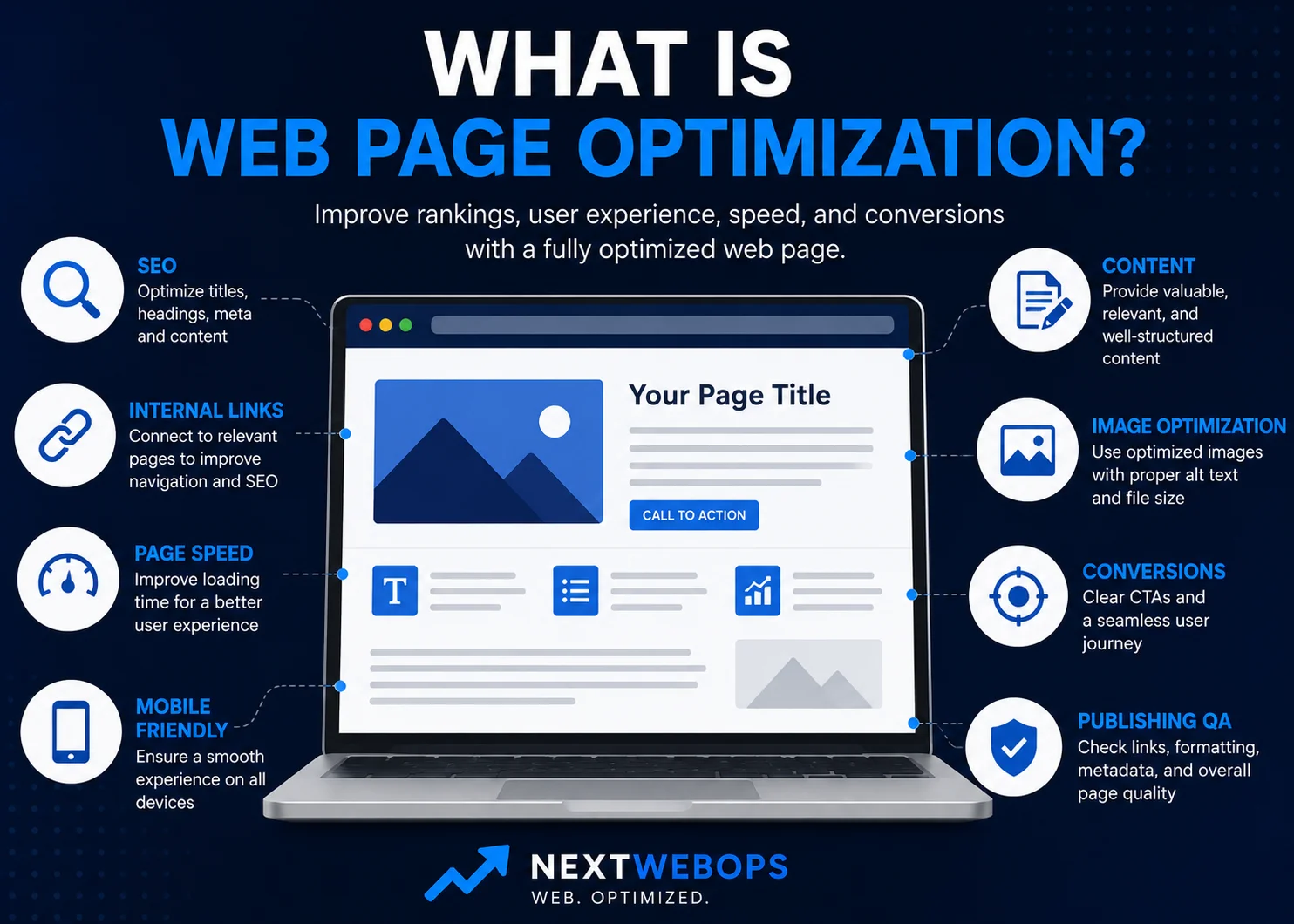
What is web page optimization? It is the process of improving an individual webpage so it is easier for search engines to understand, more useful for visitors, faster and easier to use, and better able to achieve its intended goal.
That goal might be ranking for relevant searches, generating a service inquiry, selling a product, encouraging a signup, or simply helping someone find the information they need.
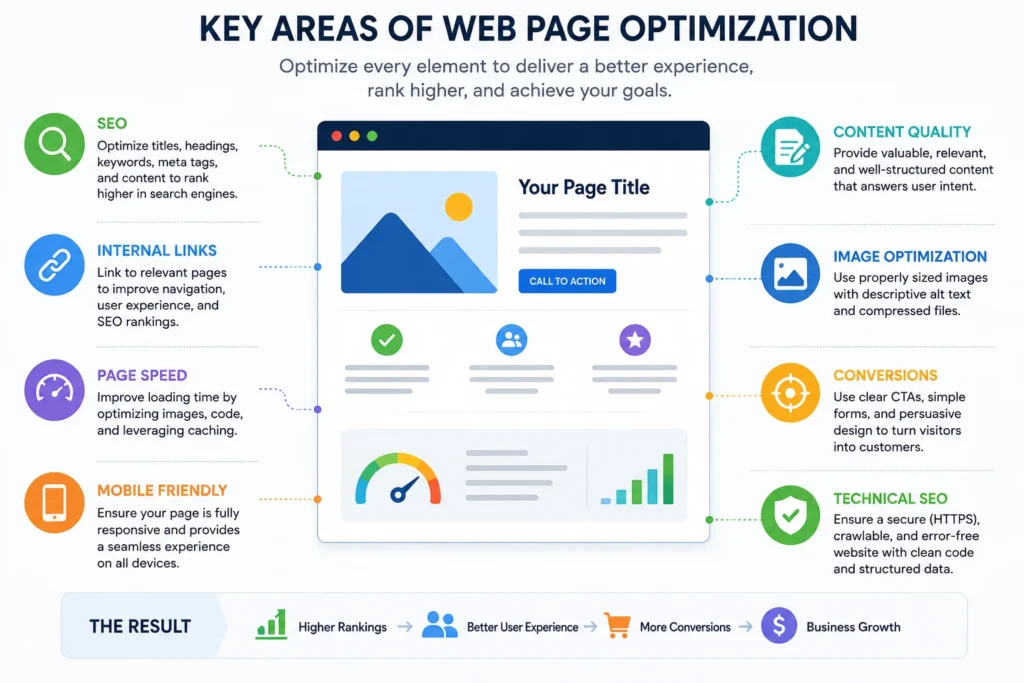
Web page optimization goes beyond adding keywords. A properly optimized page may require improvements to its content, title, headings, meta description, internal links, images, speed, mobile usability, formatting, and calls to action.
In simple terms:
Web page optimization = SEO + content + usability + performance + conversion improvements.
This guide explains what that means, how web page optimization differs from broader website optimization and on-page SEO, and which elements you should review when improving a page.
What Is Web Page Optimization?
Web page optimization is the process of making strategic improvements to a specific webpage so it performs better for both visitors and search engines.
For example, imagine a business has a service page that loads slowly, contains outdated information, uses vague headings, has oversized images, and does not clearly explain what visitors should do next.
The page technically exists, but it is not fully optimized.
Optimization might involve:
- Rewriting unclear or outdated content
- Improving the page title and headings
- Matching the page more closely to search intent
- Writing better metadata
- Adding relevant internal links
- Compressing and resizing images
- Improving mobile formatting
- Making the call to action more useful
- Checking links, images, and formatting before publishing
The important point is that optimization should improve the complete page experience rather than focus on one isolated SEO factor.
Web Page Optimization vs Website Optimization
The terms web page optimization and website optimization are closely related, but they refer to different scopes of work.
Web Page Optimization
Web page optimization focuses on one individual URL.
You might optimize a:
- Blog post
- Service page
- Product page
- Category page
- Landing page
- About page
The objective is to make that particular page more useful, discoverable, readable, efficient, and effective.
Website Optimization
Website optimization looks at the site more broadly.
It can include:
- Site architecture
- Navigation
- Sitewide speed
- Technical SEO
- Mobile usability
- Internal linking structure
- Conversion journeys
- Accessibility
- Sitewide content quality
For example, compressing an oversized hero image on one service page is page optimization. Reviewing image sizes and performance across 300 URLs is part of broader website optimization.
In practice, the two often overlap. Improving enough individual pages eventually improves the website as a whole.
Web Page Optimization vs On-Page SEO
Web page optimization and on-page SEO are also related, but they are not exactly the same thing.
On-page SEO focuses primarily on elements that help search engines and users understand the meaning and relevance of a page.
Typical on-page SEO elements include:
- SEO titles
- Page headings
- Keyword targeting
- Content relevance
- Meta descriptions
- URLs
- Internal links
- Image alt text
Web page optimization can include all of those elements, but it can also address factors such as:
- Page load performance
- Image file size
- Mobile presentation
- Page layout
- Accessibility
- Calls to action
- Conversion paths
- Publishing quality assurance
If you specifically want to review search-focused page elements, the NextWebOps on-page SEO checklist provides a more focused process.
Why Is Web Page Optimization Important?
A webpage can attract traffic and still perform poorly. It can also contain useful information but receive little search visibility because the content is poorly structured or inadequately implemented.
Web page optimization helps address both sides of that problem.
Improve Search Visibility
Clear titles, relevant content, useful headings, contextual internal links, and descriptive page elements make it easier for search engines to understand what a page is about.
Google’s SEO Starter Guide recommends creating useful, well-organized content and making it easy for users and search engines to understand a site’s pages.
You can review Google’s guidance in the Google Search Central SEO Starter Guide.
Improve User Experience
Visitors should not have to fight through long blocks of text, confusing navigation, oversized graphics, or unclear headings to find an answer.
Page optimization makes information easier to scan and understand.
Improve Page Performance
Large images, unnecessary scripts, and poorly implemented page elements can affect loading performance.
Optimizing individual assets and reviewing how the page behaves on different devices can create a smoother experience.
Increase Conversions
Traffic is useful only when the page helps visitors achieve something meaningful.
A commercial page might need visitors to:
- Request a quote
- Submit a contact form
- Purchase a product
- Book a consultation
- Visit another important page
If the page attracts relevant traffic but gives users no clear next step, there is still room for optimization.
8 Key Elements of Web Page Optimization
Although every page is different, the following eight areas provide a practical framework for evaluating most webpages.
1. Search Intent
Start by asking what someone expects when they search for the page’s primary topic.
A user searching for a definition usually expects an educational answer. Someone searching for a service may want pricing information, examples, benefits, credentials, or a way to contact the provider.
If your page answers the wrong intent, changing a title tag or inserting additional keywords is unlikely to solve the underlying problem.
Review the current search results for your target query and look at:
- The types of pages ranking
- The questions they answer
- The level of detail users appear to expect
- Whether results are informational, commercial, transactional, or mixed
Then make sure your page serves the same fundamental need while providing its own useful information and perspective.
2. Content Quality and Relevance
Once intent is clear, evaluate the content itself.
Ask whether the page is:
- Accurate
- Current
- Clear
- Complete enough for the topic
- Useful to the intended visitor
- Free from unnecessary repetition
More words do not automatically make a page better.
If a 2,500-word article repeats the same point several times, reducing it to 1,800 useful words may improve the page. Likewise, an 800-word article may need expansion if it leaves important user questions unanswered.
If you’re systematically improving older or underperforming content, a broader content optimization strategy can help you decide which pages should be updated first and what improvements deserve priority.
3. Page Titles, Headings, and Metadata
A visitor should be able to understand the page’s topic quickly from its title and headings.
Review the following elements:
- SEO title
- H1 page title
- H2 and H3 headings
- Meta description
- URL
The SEO title should accurately describe the page and naturally reflect its primary topic.
The H1 should tell visitors what the page covers, while H2 and H3 headings should organize related information into a logical hierarchy.
Meta descriptions should provide a concise explanation of what users can expect from the page. Search engines may generate different snippets for individual queries, but a useful description still provides clear metadata associated with the page.
If you suspect a page has multiple SEO problems rather than one isolated issue, conducting an on-page SEO audit can help identify what needs attention.
4. Internal Linking
Internal links connect one page on your website to another.
They help visitors find related information and help search engines discover and understand relationships between pages.
When optimizing a page, check whether it should:
- Link to relevant supporting articles
- Link to an appropriate service or product page
- Receive links from older related content
- Replace generic anchor text with descriptive wording
- Remove or update broken links
For example, an article about WordPress publishing might naturally link to a detailed WordPress publishing checklist rather than forcing visitors to find that resource through the site’s main navigation.
Review the NextWebOps guide to internal linking best practices for a more detailed approach.
5. Image Optimization
Images can improve a page visually, explain complex topics, and break up long sections of content. Poorly optimized images can also create unnecessary page weight.
For each important image, review:
- Dimensions
- File size
- File format
- Filename
- Alt text
- Visual relevance
Resize images to appropriate dimensions rather than uploading extremely large files and relying on the browser to display them smaller.
Formats such as WebP can often provide good visual quality at a lower file size than older formats.
Alt text should describe an image where a textual alternative is useful. It should not be treated as a place to insert unrelated keywords.
See the NextWebOps image SEO guide for a deeper look at filenames, alt text, compression, formats, and other image considerations.
6. Page Speed and Mobile Experience
Visitors increasingly expect webpages to work smoothly across phones, tablets, and desktop devices.
Page optimization should therefore include checking the real published page rather than reviewing only the content inside a CMS editor.
Common page-level performance issues include:
- Oversized images
- Heavy embeds
- Unnecessary scripts
- Layout shifts
- Elements that overflow on mobile screens
- Buttons or links that are difficult to use on smaller devices
Not every performance problem can be solved at the content level. Some require development or sitewide technical work. However, content teams can prevent many avoidable issues by properly preparing images, embeds, and page elements before publishing.
7. Readability and Page Formatting
Formatting determines how easily visitors can consume otherwise useful content.
Compare these two approaches:
A page contains one large block of text with few headings, long paragraphs, random bold formatting, and several unrelated ideas mixed together.
Another page covers the same information using clear headings, short paragraphs, logical lists, relevant images, and consistent spacing.
The second page is usually easier to scan and understand.
Useful formatting practices include:
- Keeping paragraphs reasonably short
- Using logical H2 and H3 headings
- Grouping related ideas together
- Using lists for genuinely list-based information
- Adding tables when comparison is easier visually
- Using bold text selectively
- Checking spacing around headings, images, and lists
This is also an area where good SEO recommendations can fail during implementation. A content brief might define the correct hierarchy, but the published page still needs headings, links, images, and formatting added correctly inside WordPress, Shopify, Webflow, or another CMS.
Need help applying page-level SEO, formatting, image, metadata, and linking improvements across your website? Contact NextWebOps for hands-on content implementation support.
8. Conversion Elements and Publishing QA
Before calling a page optimized, ask what visitors are expected to do after reading it.
An informational blog post might guide someone to another relevant resource. A service page may encourage a consultation request. A product page may need to move visitors toward a purchase.
Review whether the page has an appropriate call to action and whether that next step makes sense for the user’s intent.
Then perform publishing QA.
Check:
- Links
- Buttons
- Forms
- Heading hierarchy
- Image display
- Image alt text
- SEO metadata
- Mobile presentation
- Spacing and formatting
- Grammar and spelling
A strategy document can recommend perfect improvements, but those improvements only matter if they are implemented correctly on the live page.
If your optimization recommendations are ready but your team needs help implementing and checking changes in WordPress, Shopify, or Webflow, talk to NextWebOps about content implementation and publishing QA.
Web Page Optimization Example
Consider a small business service page that has been online for several years.
Before optimization, the page has:
- A vague title such as “Our Services”
- One long block of text
- No descriptive H2 headings
- A 2 MB PNG image
- No links to supporting resources
- An outdated meta description
- A generic “Learn More” button
- No clear indication of what visitors should do next
The underlying service may be excellent, but the page does a poor job of communicating it.
After optimization, the page could include:
- A specific page title aligned with the service
- A clear explanation of who the service is for
- Logical H2 and H3 sections
- Shorter, easier-to-read paragraphs
- A resized and compressed WebP image
- Descriptive image alt text
- Relevant links to supporting resources
- A clearer SEO title and meta description
- A specific CTA such as “Request a Consultation”
- Final desktop and mobile QA
Notice that only part of this process is traditional SEO. The rest improves usability, performance, implementation quality, and the page’s ability to support a business objective.
How to Optimize a Web Page Step by Step
You can use the following workflow for most existing pages:
- Define the page goal. Decide what the page should help visitors accomplish.
- Identify search intent. Confirm what people searching the target topic expect.
- Review current performance. Look at impressions, clicks, rankings, traffic, or conversions where data is available.
- Improve the content. Correct outdated information, fill important gaps, and remove unnecessary material.
- Optimize titles, headings, and metadata. Make page structure and relevance clear.
- Strengthen internal links. Connect the page to useful related resources.
- Optimize images. Review dimensions, size, format, filenames, and alt text.
- Check speed and mobile presentation. Look for obvious performance or layout problems.
- Improve the conversion path. Provide a relevant next step for visitors.
- Perform publishing QA. Check the page after implementation.
- Monitor results. Determine whether the changes improved performance.
Not every page will require major changes in every category. The purpose of the process is to identify the improvements that matter for that specific URL.
Web Page Optimization Checklist
Use this checklist before considering an important page fully optimized:
- The page has a clear purpose.
- The content matches search intent.
- Information is accurate and useful.
- The page title clearly describes the topic.
- H2 and H3 headings follow a logical hierarchy.
- The SEO title is relevant and readable.
- The meta description accurately summarizes the page.
- The URL is clear and appropriate.
- Relevant internal links are included.
- Images are appropriately sized and compressed.
- Important images have useful alt text where appropriate.
- The page is easy to scan and read.
- Mobile formatting has been checked.
- Important buttons and links work correctly.
- The page has a relevant CTA or next step.
- Publishing QA has been completed.
When Should You Re-Optimize a Web Page?
Web page optimization is not necessarily a one-time project.
A page may need another review when:
- Organic traffic declines
- Important rankings fall
- Search impressions increase but clicks remain weak
- Information becomes outdated
- Your products or services change
- A site redesign affects formatting
- New supporting content becomes available
- Internal links become outdated or broken
- Conversions are weaker than expected
- Competitors begin serving the search intent more effectively
That does not mean every page needs an arbitrary rewrite every few months.
A stable evergreen page that continues helping users and performing well may require little attention. A high-value service page with outdated information deserves much higher priority.
Final Thoughts
So, what is web page optimization? It is the process of improving an individual webpage across the areas that influence visibility, usefulness, performance, and results.
SEO is an important part of that process, but effective page optimization goes further.
A strong page brings together:
Relevant content + on-page SEO + internal links + optimized images + usability + performance + clear conversion paths + publishing QA.
You do not need to change every element every time. Start by understanding what the page is supposed to accomplish, identify what is preventing it from doing that effectively, and prioritize the improvements with the greatest potential impact.
If your team knows which pages need improvement but needs help implementing content, metadata, internal links, images, formatting, or publishing updates, get in touch with NextWebOps.
Frequently Asked Questions
What does it mean to optimize a web page?
Optimizing a web page means improving its content, SEO elements, usability, performance, links, images, and conversion path so the page better serves visitors and achieves its intended purpose.
What is the difference between web page optimization and SEO?
SEO focuses on improving visibility in search engines. Web page optimization can include SEO but also covers broader factors such as page speed, usability, accessibility, formatting, images, calls to action, and publishing quality.
What are examples of web page optimization?
Examples include improving a page title, reorganizing headings, updating outdated content, writing a better meta description, compressing images, adding internal links, improving mobile formatting, fixing broken links, and adding a clearer call to action.
How do you optimize a web page for Google?
Start by matching search intent and creating useful content. Then review the page title, headings, metadata, internal links, images, URL, readability, and technical presentation. After implementing changes, check the published page and monitor its search performance.
Why is web page optimization important?
Web page optimization can help make a page easier to discover, easier to use, more useful to visitors, and more effective at generating the action the page was created to support.
How often should a web page be optimized?
There is no fixed schedule that applies to every page. Review important pages when traffic or rankings decline, information becomes outdated, business details change, search intent shifts, or the page is no longer achieving its intended goal.
Leave a Reply